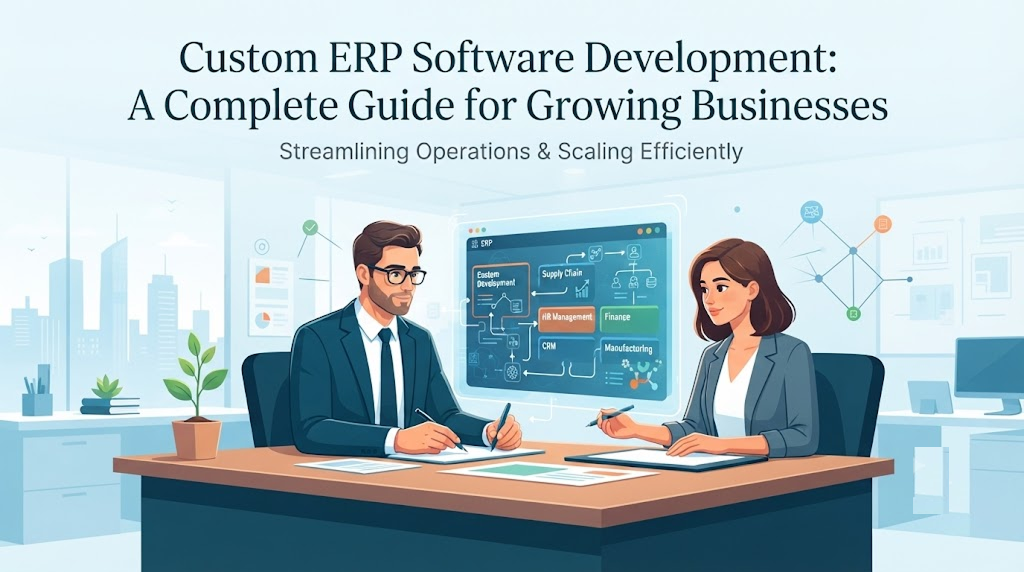
Business Central Implementation: A Complete Guide for Growing Businesses
A practical guide to planning, implementing, and optimizing Microsoft Dynamics 365 Business Central for growing businesses.
What's Inside
- 01 What Is Business Central Implementation?
- 02 Why Do Growing Businesses Choose Business Central?
- 03 The Business Central Implementation Process
- 04 Common Implementation Challenges
- 05 How to Choose an Implementation Partner
- 06 Is Business Central Right for Your Business?
- 07 Conclusion
- 08 Frequently Asked Questions
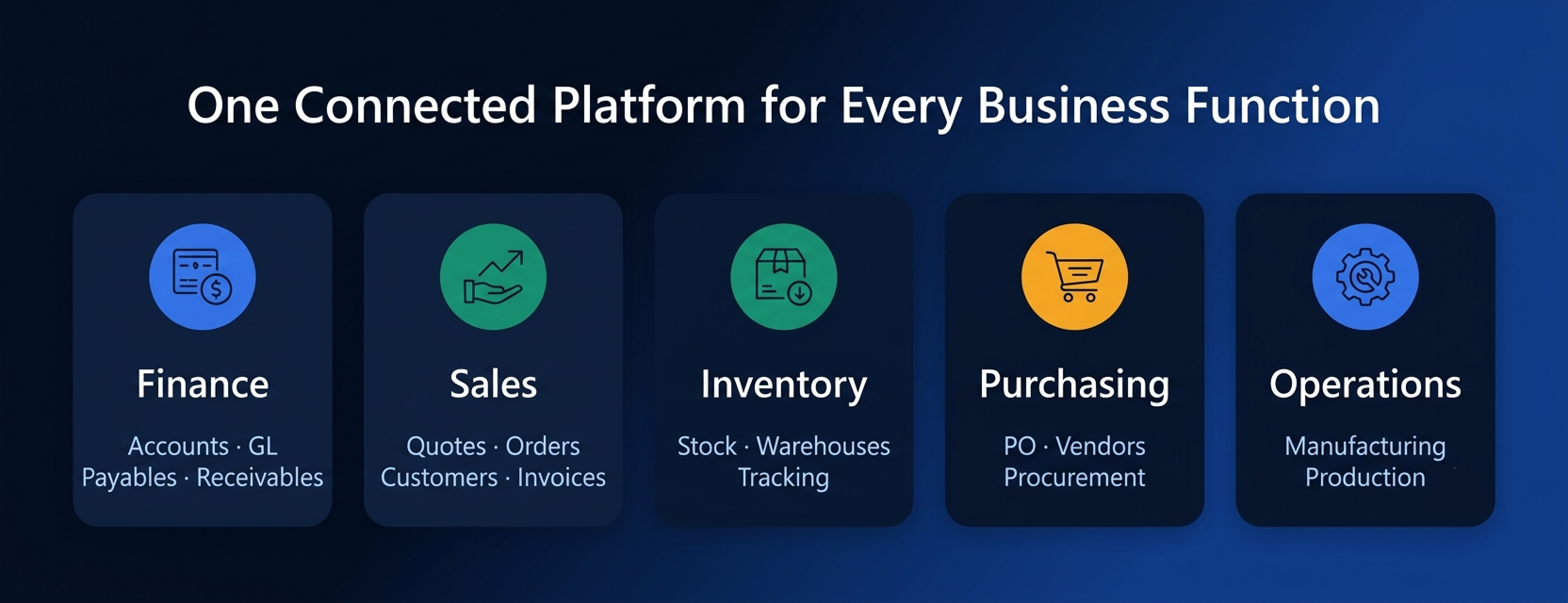
Business Central implementation helps growing businesses connect finance, sales, purchasing, inventory, operations, and reporting within a more integrated business management environment. As a business grows, managing finance, sales, purchasing, inventory, operations, and reporting across disconnected systems can become increasingly difficult. Spreadsheets and separate applications may work during the early stages, but they can create data duplication, manual work, limited visibility, and delays as operations become more complex.
Microsoft Dynamics 365 Business Central provides an integrated business management platform designed to connect core business processes. But choosing an ERP is only the beginning. A successful Business Central implementation requires careful planning, process analysis, data preparation, configuration, testing, user training, and ongoing support.
In this guide, we'll explain what Business Central implementation involves, the major steps in the process, common challenges, and what businesses should consider when selecting an implementation partner.
What Is Business Central Implementation?
Business Central implementation is the process of configuring and deploying Microsoft Dynamics 365 Business Central to meet an organization's business requirements.
Implementation is more than installing software. It involves understanding how a business currently operates, identifying areas for improvement, configuring the ERP environment, migrating relevant data, connecting other systems, testing business processes, and preparing employees to use the new solution.
Microsoft's implementation guidance emphasizes the importance of configuration and migration data. Configuration data determines how the system works for a particular business, while migration data includes information transferred from existing systems, such as customers, products, and transactions.
For a growing organization, the objective should not simply be to replace an existing system. The goal is to create a more connected and efficient way of managing business operations.
Why Do Growing Businesses Choose Business Central?
Growth often creates operational complexity. A company may have separate systems for accounting and finance, inventory management, purchasing, sales, customer management, warehouse operations, manufacturing, and reporting.
- Accounting and finance
- Inventory management
- Purchasing
- Sales
- Customer management
- Warehouse operations
- Manufacturing
- Reporting
When these systems don't communicate effectively, employees may spend time transferring information manually or reconciling data between applications.
Business Central can help bring important business processes into a connected ERP environment.
For example, a manufacturing business may need visibility across purchasing, inventory, production, sales, and finance. Connecting these processes can give decision-makers a clearer view of operations and help teams work from more consistent information.
For businesses considering ERP modernization, Innoverse positions its Microsoft Dynamics 365 offering around full-cycle implementation across Finance, Supply Chain, Business Central, Sales, and Field Service.
Explore Innoverse's ERP and digital transformation solutions
Business Central Implementation Process: 8 Key Steps
A successful implementation should follow a structured process. While the exact approach varies according to business size, industry, requirements, integrations, and existing systems, the following stages provide a practical framework.
Discovery and Business Requirements Assessment
The first step is understanding the business. Before configuring Business Central, the implementation team should examine existing workflows, identify pain points, understand business objectives, and determine which processes need improvement.
Questions may include:
- How is finance currently managed?
- How are inventory levels tracked?
- How are purchase orders created?
- How are sales orders processed?
- What reporting does management require?
- Which systems need to integrate with the ERP?
- What data needs to be migrated?
This stage creates the foundation for the implementation project.
Solution Design and Planning
After requirements are identified, the next step is designing the solution. The implementation team determines the required Business Central capabilities, modules, workflows, integrations, data migration requirements, security roles, customization requirements, and project milestones.
- Required Business Central capabilities
- Modules and functionality
- Business workflows
- Integration requirements
- Data migration requirements
- Security and user roles
- Customization requirements
- Project milestones
A detailed implementation roadmap can help establish responsibilities, timelines, dependencies, and expected outcomes.
Business Central Configuration and Customization
Once the solution design is approved, Business Central can be configured according to the organization's requirements.
- Company setup
- Financial settings
- Users and permissions
- Inventory settings
- Sales processes
- Purchasing workflows
- Reporting
- Tax and compliance requirements
Some businesses may also require customization or extensions when standard functionality doesn't fully meet a specific requirement.
The important principle is to avoid unnecessary customization. Businesses should first determine whether standard Business Central functionality can meet the requirement before introducing additional complexity.
Data Migration
Data migration is one of the most important stages of an ERP implementation.
Businesses may need to move information such as:
- Customer records
- Vendor records
- Product or item information
- Opening balances
- Inventory data
- Outstanding orders
- Relevant historical information
Data should be cleaned, mapped, tested, and validated before the final migration. Poor-quality data can cause errors and delays, so data preparation should begin early rather than being treated as a last-minute activity.
Integration With Other Business Systems
Many organizations already use other applications. Business Central may need to connect with CRM systems, e-commerce platforms, banking systems, warehouse systems, shipping providers, payroll systems, and business intelligence tools.
- CRM systems
- E-commerce platforms
- Banking systems
- Warehouse systems
- Shipping providers
- Payroll systems
- Business intelligence tools
The implementation team should identify these integration requirements during the planning stage. This helps ensure that Business Central becomes part of the organization's broader digital ecosystem rather than another isolated application.
Testing and User Acceptance Testing
Before going live, the system should be tested against real business processes.
- Finance workflows
- Sales transactions
- Purchase processes
- Inventory movements
- Reporting
- Integrations
- User permissions
- Data accuracy
User Acceptance Testing (UAT) is particularly important because employees who will actually use the system can validate whether the configured workflows work for their day-to-day responsibilities.
Employee Training
Microsoft's Business Central learning resources also cover areas such as company setup, security, data migration, and configuration.
Even a well-configured ERP can fail to deliver value if users don't know how to use it. Training should be relevant to each user's responsibilities.
Finance teams can learn financial workflows and reporting.
Sales teams can learn customer and sales order processes.
Warehouse teams can learn inventory and fulfillment workflows.
Managers can learn dashboards, reports, and decision-support capabilities.
Training before go-live can reduce confusion and improve user adoption.
Go-Live and Post-Implementation Support
After testing and training are completed, the business can prepare for go-live.
This stage requires careful cutover planning to determine when the existing system will stop being used and Business Central will become the primary system.
Post-go-live support is equally important. Users may discover issues, questions, or process improvements once the system is being used in real business situations.
An implementation partner can provide support, troubleshooting, performance optimization, and continuous improvement after launch.
Common Business Central Implementation Challenges
ERP implementations can involve several challenges if they aren't planned properly.
1 Poor Data Quality
Incomplete, duplicate, or inaccurate data can create problems during migration.
2 Lack of User Adoption
Employees may resist a new system if they don't understand why processes are changing or how to use the new tools.
3 Unclear Requirements
Changing requirements during implementation can affect scope, cost, and timelines.
4 Integration Complexity
Connecting multiple existing systems may require careful technical planning.
5 Excessive Customization
Customizing every existing process instead of evaluating standard functionality can make the ERP harder to maintain.
6 Inadequate Testing
Insufficient testing can allow workflow or data problems to reach the production environment.
A structured implementation methodology can reduce these risks by addressing requirements, design, migration, testing, training, and support as connected stages.
How to Choose a Business Central Implementation Partner
Choosing the right implementation partner is an important business decision.
Look for a partner that can demonstrate:
Business Central Partner Checklist
It's also useful to understand how the partner approaches your specific business requirements rather than simply asking which software they implement.
For example, a manufacturing company may have very different requirements from a distributor or trading company.
Innoverse currently positions its ERP services around manufacturing, logistics, distribution, international trade, engineering, electronics, retail, wholesale, and project-based businesses, alongside its Microsoft Dynamics 365 offering.
Talk to Innoverse about your ERP requirements
Is Business Central Right for Your Growing Business?
Business Central can be worth considering when a company needs to connect business functions, improve operational visibility, reduce manual processes, and establish a more scalable ERP foundation.
Business Central May Be a Good Fit When You Need To:
- Connect multiple business functions
- Improve visibility and reporting
- Reduce manual work and duplicate data
- Improve operational efficiency
- Build a scalable ERP foundation
However, the right ERP solution depends on factors such as:
- Business size
- Industry
- Number of users
- Existing systems
- Business processes
- Integration requirements
- Data migration needs
- Future growth plans
The implementation process should therefore begin with business requirements rather than software features alone.
A well-planned Business Central implementation can help organizations move from disconnected processes toward a more integrated operating model.
Conclusion
From discovery and solution design to configuration, data migration, integration, testing, training, and go-live, every stage contributes to the success of the implementation.
For growing businesses, the objective should be to create an ERP environment that supports today's operations while providing a foundation for future growth.
If your organization is evaluating Microsoft Dynamics 365 Business Central, working with an experienced implementation team can help you understand your requirements, plan the right solution, reduce implementation risks, and get more value from your ERP investment.