MANUFACTURING & ERP GUIDE
Top 10 Manufacturing ERP Software Features to Look For
A practical breakdown of the manufacturing ERP software features that separate a system that merely runs your plant from one that actually grows it — written for Indian manufacturers evaluating their next ERP investment.
Choosing an ERP for your factory is not a software decision — it's an operations decision. The wrong system slows down your production line; the right one becomes the backbone of every purchase order, work order, and dispatch. This guide walks through the manufacturing ERP software features worth insisting on, so your shortlist is built on capability, not sales pitches.
Most manufacturers start their search the same way: a generic feature list, three demos, and a decision made under deadline pressure. But the manufacturing ERP software features that actually matter are specific to how a factory works — batch tracking, shop-floor data capture, machine downtime, vendor quality, and multi-location stock. This article covers exactly those, in the order they tend to matter for growing manufacturers in India.
Why the Right Manufacturing ERP Software Features Matter
A production floor runs on hundreds of small decisions made every hour — what to make next, what to reorder, which batch is short on a component. When your ERP lacks the manufacturing ERP software features built for this pace, those decisions fall back on spreadsheets, phone calls, and guesswork. The cost shows up as missed deliveries, excess inventory, and machines that sit idle while someone hunts for a part number.
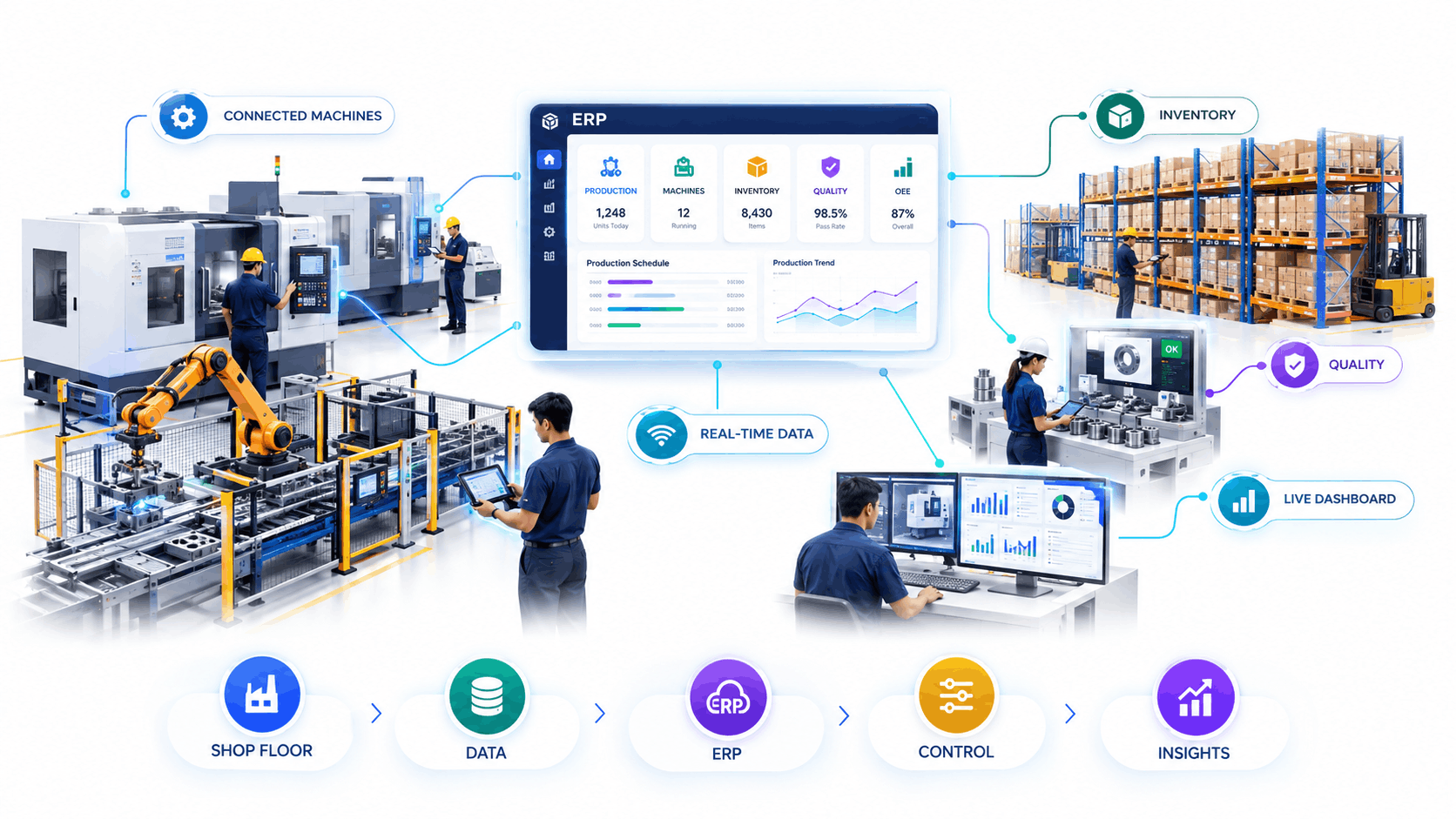
On the other hand, an ERP built with the right manufacturing ERP software features turns the shop floor into a source of real-time data instead of a black box. Planners see actual capacity, not assumed capacity. Purchase teams see true consumption, not last quarter's estimate. That shift alone is often what separates the best ERP software for manufacturing in India from a generic accounting system wearing a manufacturing label.
The Top 10 Manufacturing ERP Software Features to Evaluate
Here is the checklist we recommend every manufacturer run their shortlist through. Each of these manufacturing ERP software features solves a specific, recurring problem on the factory floor — not a hypothetical one.
Real-Time Production Planning & Scheduling
Look for manufacturing ERP software features that let planners see machine load, labour availability, and material readiness together, so schedules reflect what the floor can actually deliver, not just what the sales order says.
Bill of Materials (BOM) & Routing Management
Multi-level BOMs, version control, and routing steps tied to work centres are core manufacturing ERP software features — they keep costing accurate and prevent production errors from outdated specifications.
Shop Floor Data Capture
Barcode scanning, machine data, and operator entry at the workstation are essential manufacturing ERP software features — without them, your ERP is always working with yesterday's information.
Inventory & Multi-Warehouse Control
Raw material, WIP, and finished goods visibility across every warehouse is one of the most requested manufacturing ERP software features, since stockouts and overstocking both hit margins directly.
Quality Management & Compliance
Inline inspection checkpoints, non-conformance tracking, and audit trails are manufacturing ERP software features that matter most for exporters and regulated industries selling into demanding markets.
Preventive Maintenance Scheduling
Machine downtime is expensive, so maintenance scheduling tied to actual run-hours is among the manufacturing ERP software features that pay for themselves within a few quarters.
Procurement & Vendor Management
Automated reorder points, vendor scorecards, and purchase approvals round out the manufacturing ERP software features that keep the supply side of production predictable.
Costing & Financial Integration
Standard costing, variance analysis, and finance tied directly to production are manufacturing ERP software features that give owners a true picture of per-unit profitability, not an estimated one.
Dashboards & Production Analytics
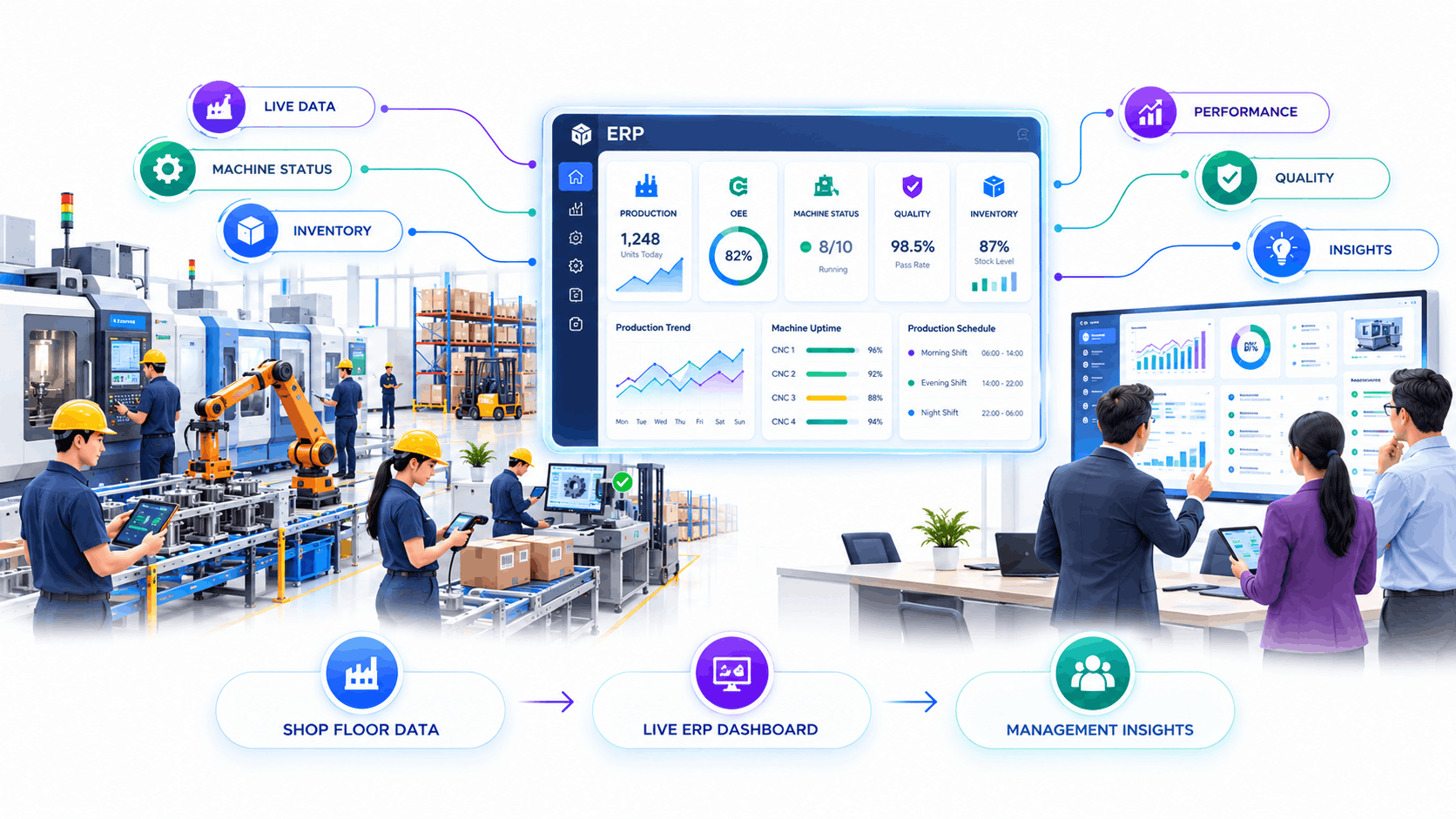
OEE, yield, and downtime dashboards are manufacturing ERP software features that turn raw shop-floor data into decisions a plant head can act on the same day.
Scalability & Cloud Access
Finally, look for manufacturing ERP software features that scale — cloud hosting, mobile access, and easy add-on modules — so the system grows with a second plant or a new product line instead of holding it back.
Manufacturing ERP as Part of a Larger Digital Shift
ERP rarely works in isolation. Manufacturers who see the most benefit from strong manufacturing ERP software features usually pair the rollout with a broader plan — connecting machines, dashboards, and customer systems into one data flow. This is where working with an experienced digital transformation company in India makes a measurable difference, because implementation is designed around how your plant actually operates, not a generic template.
Innoverse360 works with manufacturers across India as a full-stack digital transformation company in India, helping teams choose, implement, and adopt ERP systems without disrupting production during the switch.
How to Choose the Best ERP Software for Manufacturing in India
With the ten manufacturing ERP software features above as your checklist, shortlist vendors who can demonstrate each one on real data — not a slide deck. The best ERP software for manufacturing in India will typically offer local support, GST-ready finance modules, and implementation teams who understand Indian supply chains, vendor payment cycles, and shop-floor realities.
- Ask for a live demo using your own BOM and routing data, not a sample dataset.
- Confirm mobile and offline access for shop-floor and warehouse staff.
- Check implementation timelines against your production calendar, not the vendor's.
- Get references from manufacturers of a similar size and industry.
- Review total cost including training, customization, and annual support.
Common Mistakes When Evaluating Manufacturing ERP Software Features
Even experienced buyers get this wrong. The most frequent mistake is letting the sales demo set the agenda instead of your own process — a polished walkthrough can make almost any system look capable, but it won't reveal whether the manufacturing ERP software features actually match how your specific plant schedules jobs, tracks batches, or handles rework. Insist on seeing your own data before you sign anything.
A second mistake is under-budgeting for implementation. The software licence is only part of the cost; configuration, data migration, and operator training determine whether the manufacturing ERP software features you paid for actually get used on the floor. Plants that skip proper training often end up running the new ERP exactly like the old spreadsheet system, which defeats the purpose of the upgrade.
A third mistake is choosing based on brand recognition alone. A well-known name doesn't guarantee the manufacturing ERP software features fit discrete, process, or batch manufacturing the way your plant needs. This is why comparing vendors against the checklist earlier in this guide, rather than a marketing brochure, leads to a decision you won't need to reverse in eighteen months.
Frequently Asked Questions
What are the most important manufacturing ERP software features for a small factory?
For smaller plants, prioritise production planning, inventory control, and shop floor data capture first. These three manufacturing ERP software features deliver the fastest return, since they directly reduce material waste and missed delivery dates, even before quality and maintenance modules are added.
How long does it take to implement these manufacturing ERP software features?
A mid-sized plant typically takes eight to sixteen weeks to go live, depending on how many manufacturing ERP software features are configured at once and how clean the existing production and inventory data is before migration.
Is cloud ERP a good fit for manufacturers in India?
Yes. Cloud deployment is now one of the standard manufacturing ERP software features requested by Indian manufacturers, since it lowers upfront IT costs and allows plant managers to check schedules and stock from a phone on the shop floor.
How do I know if I'm looking at the best ERP software for manufacturing in India?
Match the vendor against the ten manufacturing ERP software features covered in this guide, ask for a demo on your own data, and confirm local implementation support. If all three check out, you're likely looking at the best ERP software for manufacturing in India for your specific plant size and industry.
Bringing It All Together
None of these manufacturing ERP software features work in isolation — planning is only as good as the inventory data feeding it, and quality tracking is only as useful as the shop floor data capture reporting it. The manufacturers who get the most value treat this as one connected system from day one, rather than bolting modules on year after year.
If you're comparing systems right now, revisit the checklist against your actual production process before your next vendor call. A short internal audit of which manufacturing ERP software features you're missing today will make every demo afterward far more useful, and it's usually the difference between landing on the best ERP software for manufacturing in India for your plant and settling for whichever vendor called first.
Ready to Shortlist the Right ERP for Your Plant?
Whether you're comparing vendors or defining requirements from scratch, Innoverse360 can help you map the manufacturing ERP software features your plant genuinely needs — and avoid paying for the ones it doesn't.