Dynamics 365 Finance and Operations vs Business Central: Key Differences
Dynamics 365 Finance and Operations vs Business Central — compare company size fit, functional depth, licensing, customization and global scalability to work out which platform actually fits your business.
What's Inside
- 01 What Is Dynamics 365 Finance and Operations?
- 02 What Is Dynamics 365 Business Central?
- 03 Target Company Size and Complexity
- 04 Functional Scope: Finance, Supply Chain and Manufacturing
- 05 Deployment, Licensing and Cost Structure
- 06 Customization, Extensibility and Integration
- 07 Multi-Entity and Global Operations
- 08 Dynamics 365 Finance and Operations vs Business Central at a Glance
- 09 Which Platform Fits Which Business?
- 10 Growing from Business Central to Finance and Operations
- 11 Implementation Considerations
- 12 Conclusion
- 13 Frequently Asked Questions
Dynamics 365 Finance and Operations and Dynamics 365 Business Central are Microsoft's two distinct ERP platforms sold under the same Dynamics 365 name, and the naming alone causes real confusion. Both manage finance, supply chain and operations, but they are built for different scales of business, with different licensing models, implementation timelines and configuration depth.
Choosing between them isn't about which product is more advanced. It's about which one matches your company's size, entity structure, process complexity and growth plans — because implementing the wrong one usually means either paying for capability you'll never use, or hitting a ceiling within a few years of go-live.
This guide compares both platforms directly so you can shortlist correctly before an implementation partner starts scoping either one.
What Is Dynamics 365 Finance and Operations?
Dynamics 365 Finance and Operations was Microsoft's original name for its enterprise-grade ERP suite, built on the legacy of Microsoft Dynamics AX. Microsoft has since split the suite into two separately licensed applications — Dynamics 365 Finance and Dynamics 365 Supply Chain Management — but the combined platform is still widely referred to as "Finance and Operations" or "F&O" by partners, consultants and businesses evaluating it.
F&O is designed for larger, more complex organizations: multi-entity groups, multi-country operations, businesses with intricate manufacturing or distribution processes, and companies that need deep configuration rather than simple setup. It includes advanced financial management, budgeting, project accounting, warehouse and transportation management, production planning and asset management.
The platform runs on Microsoft's Power Platform data model (Dataverse-adjacent architecture) and integrates natively with Power BI, Power Automate and other Microsoft cloud services, making it a strong fit for enterprises already standardized on the Microsoft stack. See Microsoft's official Dynamics 365 Finance product page for current licensing and capability details.
What Is Dynamics 365 Business Central?
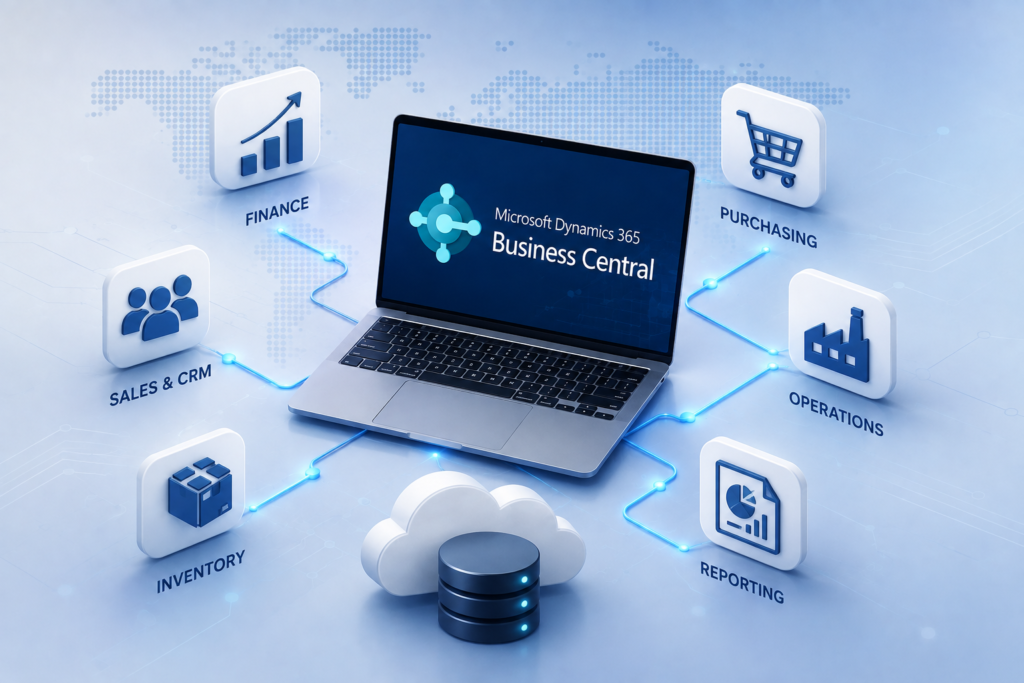
Dynamics 365 Business Central is Microsoft's ERP for small and midsize businesses, evolved from Dynamics NAV. It covers financial management, sales, purchasing, inventory, warehousing, manufacturing, project management and service management in a single, more approachable application.
Business Central is built for faster deployment and simpler licensing than F&O. It offers Essentials and Premium license tiers, a large ecosystem of AppSource extensions for industry-specific needs, and configuration through setup wizards and standard workflows rather than extensive custom development.
It's a common next step for businesses outgrowing Tally, QuickBooks or entry-level accounting software, and for manufacturers who need production, inventory and finance connected in one system without enterprise-scale complexity. See our related guide on Business Central implementation for a deeper look at that path.
Target Company Size and Complexity
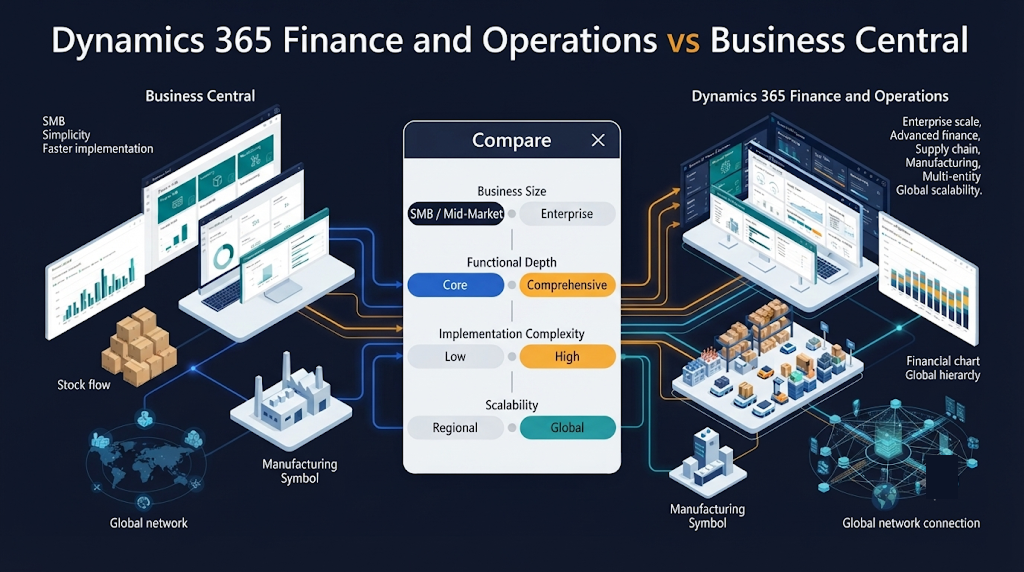
Company size and organizational complexity are the clearest signals for which platform fits. Business Central is built for single or few-entity businesses, typically with revenue and headcount in the small-to-midsize range and a relatively standard operating model.
Finance and Operations is built for larger enterprises — multi-subsidiary groups, businesses operating across many countries with different regulatory and tax requirements, or companies whose finance, supply chain and manufacturing processes are too intricate for a standardized SMB template.
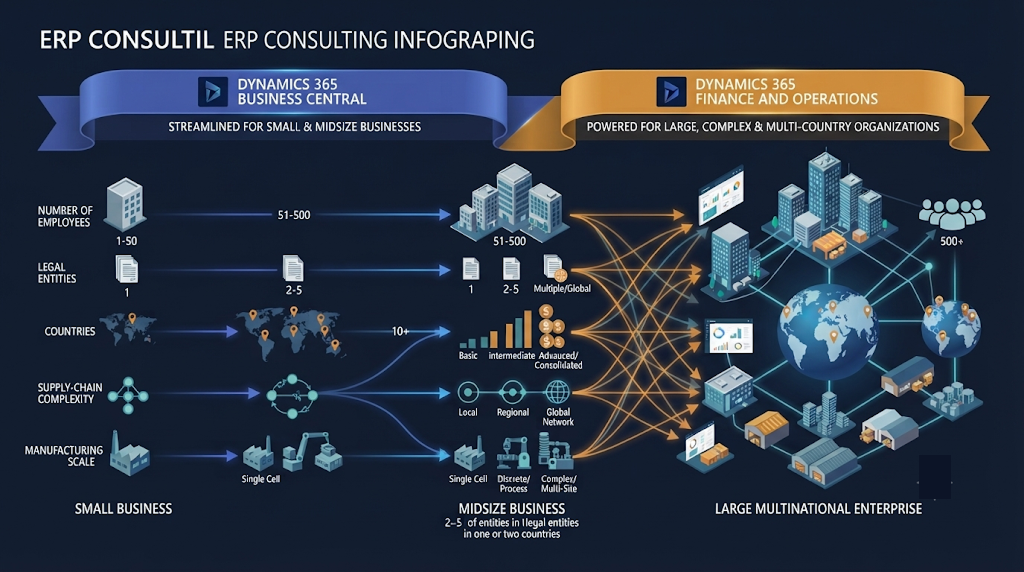
- Single-entity or few-subsidiary companies generally fit Business Central.
- Multi-country groups with complex intercompany transactions generally need Finance and Operations.
- Highly standardized processes fit Business Central's configuration model.
- Highly specific, regulated, or negotiated processes often need F&O's configuration depth.
Functional Scope: Finance, Supply Chain and Manufacturing
Both platforms cover the same broad categories — finance, sales, purchasing, inventory, manufacturing and projects — but the depth within each category differs substantially.
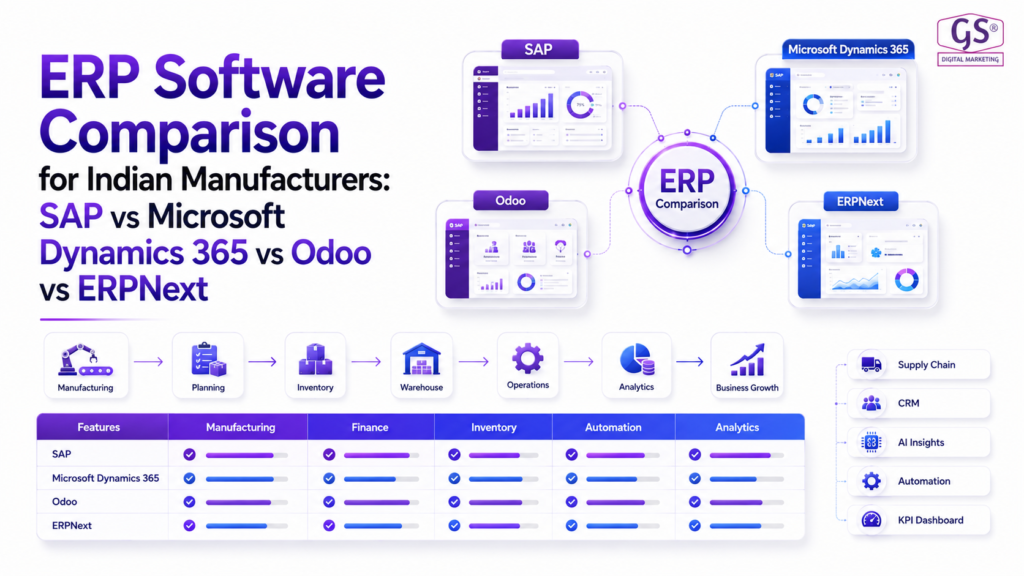
Business Central provides solid core finance (general ledger, AR/AP, bank reconciliation, fixed assets), inventory and basic-to-intermediate manufacturing (BOMs, routings, production orders). It handles most SMB and mid-market manufacturing scenarios well, as covered in our ERP software comparison for Indian manufacturers.
Finance and Operations goes considerably further: advanced budgeting and forecasting, complex revenue recognition, landed cost, advanced warehouse and transportation management, master production scheduling, and asset management built for capital-intensive operations. It also supports more elaborate approval hierarchies and segregation-of-duties controls expected in larger organizations.
Deployment, Licensing and Cost Structure
Business Central is priced per named or device user across two tiers (Essentials and Premium), with a licensing model designed to be predictable for smaller budgets. Implementation timelines are typically shorter because the functional scope is narrower and configuration is more standardized.
Finance and Operations licensing is split across Finance and Supply Chain Management applications, each priced per user with additional considerations for Dataverse capacity, environments and add-on modules. Implementation timelines run longer because of the broader scope, deeper configuration, and typically more extensive testing and change-management requirements.
| Cost Factor | Business Central | Finance and Operations |
|---|---|---|
| Licensing model | Per user, two tiers (Essentials/Premium) | Per user, split across Finance and Supply Chain apps |
| Typical implementation time | Weeks to a few months | Several months to over a year |
| Configuration approach | Setup wizards, standard workflows, AppSource extensions | Deep configuration, custom development, extensive testing |
| Total cost of ownership | Lower for SMB scope | Higher, justified by enterprise scope |
For a broader view of what drives ERP cost regardless of platform, see our guide on ERP implementation cost in India.
Customization, Extensibility and Integration
Business Central supports customization primarily through AL extensions and the AppSource marketplace, which covers a wide range of industry needs without deep custom development. Integration with other Microsoft 365 tools (Outlook, Excel, Power BI, Power Automate) is native and lightweight.
Finance and Operations supports much deeper customization through the X++ development model, extensible data entities, and a more granular security and workflow framework — built for organizations with dedicated IT or implementation partner resources to maintain custom logic over time. It's also the stronger fit when integrating with other large-scale enterprise systems (WMS, MES, EDI networks, global banking platforms).
Multi-Entity, Multi-Country and Global Operations
This is often the deciding factor for groups with international operations. Finance and Operations is built with multi-entity consolidation, multi-currency, multi-language and country-specific localization as core architecture, making it the stronger choice for businesses operating across many regulatory environments simultaneously.
Business Central can support multiple companies and some multi-currency scenarios, and Microsoft continues to expand its localization coverage, but the depth of global consolidation and country-specific compliance handling is generally shallower than what F&O offers out of the box.
Dynamics 365 Finance and Operations vs Business Central at a Glance
| Area | Business Central | Finance and Operations |
|---|---|---|
| Best for | Small and midsize businesses | Large, complex or multi-country enterprises |
| Finance depth | Strong core finance | Advanced budgeting, forecasting, revenue recognition |
| Manufacturing | Basic to intermediate | Advanced, high-volume, multi-site |
| Supply chain | Standard inventory and warehousing | Advanced warehouse and transportation management |
| Customization | AL extensions, AppSource apps | X++ development, deep configuration |
| Global scale | Limited multi-entity depth | Built for multi-country consolidation |
| Implementation time | Weeks to a few months | Several months to over a year |
| Typical cost | Lower total cost of ownership | Higher, matched to enterprise scope |
Which Platform Fits Which Business?
Choose Business Central if...
You run a single entity or a few subsidiaries, need finance, inventory and manufacturing connected without enterprise complexity, and want to go live in weeks rather than a year.
Choose Dynamics 365 Finance and Operations if...
You operate across multiple countries or complex legal entities, need advanced supply chain or manufacturing capability, and have the budget and internal capacity for a longer, deeper implementation.
Still on Tally or spreadsheets?
Business Central is almost always the more realistic first step — see our guide on moving beyond Tally for manufacturing.
Already outgrowing Business Central?
That's the clearest signal to start scoping a migration path to Finance and Operations rather than stretching BC beyond its intended scope.
Growing from Business Central to Finance and Operations
Some businesses deliberately start on Business Central and plan to migrate to Finance and Operations once they cross a certain size, entity count or process-complexity threshold. This is a reasonable strategy, but it should be planned for rather than discovered under pressure.
Watch for the size signals
New country entities, intercompany complexity, or manufacturing volume that Business Central's configuration can no longer absorb cleanly.
Treat it as a new implementation
Migration is not an in-place upgrade — expect data migration, process redesign and a fresh implementation project.
Plan the data migration early
Master data, open transactions, and historical records need a structured migration plan, not a last-minute export.
Budget for the complexity jump
Licensing, implementation effort and change management all step up when moving to F&O's scope.
Implementation Considerations
Regardless of which platform you choose, a few considerations apply to both. Start with your actual processes, not the product feature list. Map finance, supply chain and manufacturing workflows before selecting a platform, and involve the people who will use the system daily.
- Define entity structure, currencies and countries in scope now and in the next 3–5 years.
- Map current finance, supply chain and manufacturing processes before comparing platforms.
- Assess internal IT capacity for ongoing configuration or custom development.
- Get a realistic implementation timeline and total cost of ownership from your partner, not just license price.
- Confirm localization and compliance coverage for every country you operate in.
Dynamics 365 Finance and Operations vs Business Central: The Bottom Line
Dynamics 365 Finance and Operations and Dynamics 365 Business Central solve the same broad problem — connecting finance, supply chain and operations. They do it for very different scales of business.
Business Central wins on speed, simplicity and cost for small and midsize companies. Finance and Operations wins on depth, configurability and global scale for larger, more complex enterprises. For an independent view of how the two platforms are positioned, Gartner's Cloud ERP market research is a useful additional reference point.
The right choice comes from an honest assessment of your company's size, entity structure, process complexity and growth trajectory — not from picking the platform with the longer feature list.
Innoverse 360 works across Microsoft Dynamics 365, SAP, ERPNext, Odoo and custom ERP solutions, and can help you compare Business Central and Finance and Operations against your actual operating model rather than a generic checklist.