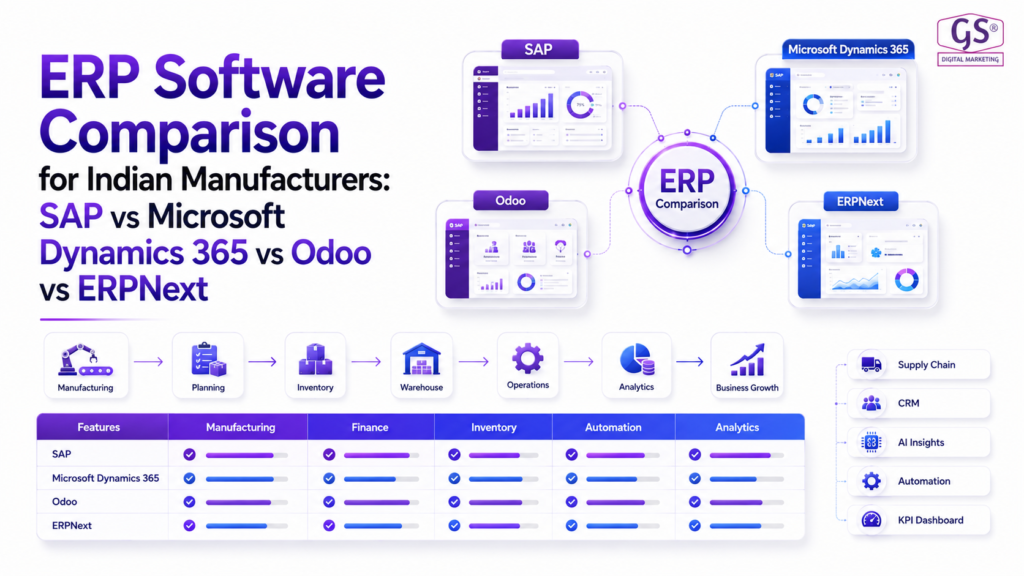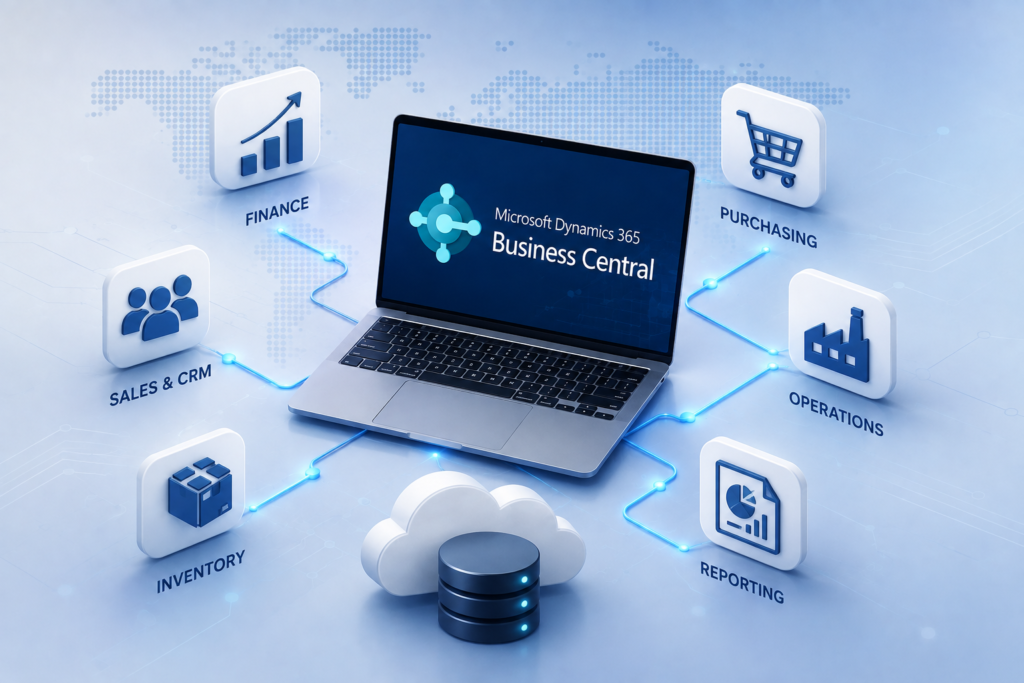
Custom ERP Software Development: A Complete Guide for Growing Businesses
Understand how custom ERP software development can help growing businesses connect operations, automate processes, improve visibility, and build a scalable digital foundation.
What's Inside
- 01 What Is Custom ERP Software Development?
- 02 Why Do Growing Businesses Need Custom ERP?
- 03 Benefits of Custom ERP Software
- 04 Custom ERP Software Development Architecture
- 05 Custom ERP Software Development Process
- 06 Common Custom ERP Challenges
- 07 How to Choose a Custom ERP Development Partner
- 08 Is Custom ERP Right for Your Business?
- 09 Conclusion
- 10 Frequently Asked Questions
As businesses grow, their operational processes often become more complex. This is one reason why custom ERP software development is becoming an important consideration for organizations that need greater control over their workflows, data, integrations, and business operations. Finance, sales, purchasing, inventory, production, warehouse operations, customer management, reporting, and other business functions may rely on different tools and applications.
While standard ERP platforms can provide a strong foundation, some businesses have highly specific workflows, industry requirements, approval processes, integrations, or reporting needs that are difficult to address with an off-the-shelf system.
This is where custom ERP software development can become valuable. A custom ERP solution is designed around the way a business actually operates rather than forcing every department to adapt to a predefined workflow.
However, custom ERP software development is not simply about building software from scratch. A successful project requires business analysis, process mapping, solution architecture, development, integrations, data migration, testing, user training, deployment, and continuous improvement.
This guide explains what custom ERP software development means, why growing businesses consider it, how the development process works, the benefits and challenges involved, and what to look for when selecting a development partner.
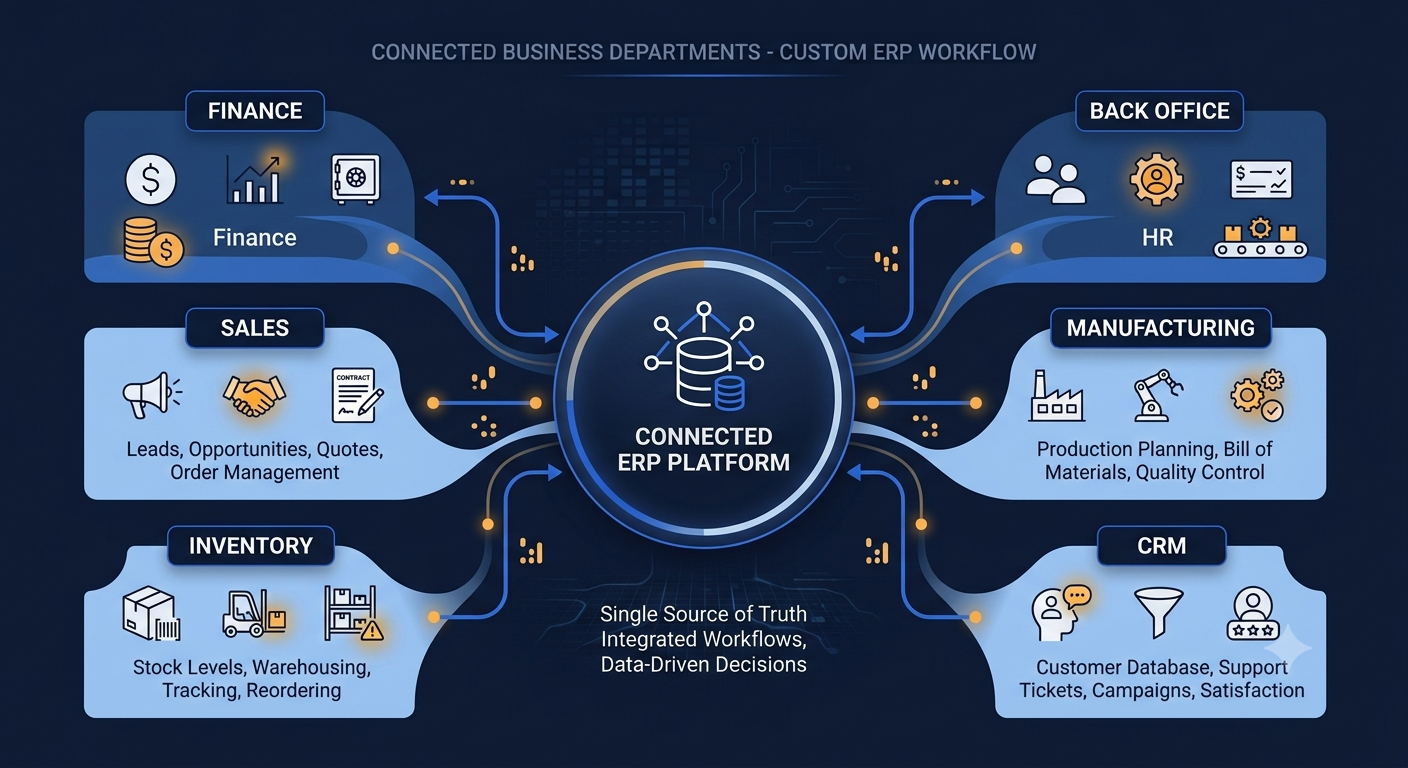
What Is Custom ERP Software Development and How Does It Work?
Custom ERP software development is the process of designing and developing an enterprise resource planning system specifically around the requirements, workflows, data, users, and operational needs of a particular business.
Unlike a completely standard ERP deployment, custom development allows organizations to define how specific business processes should work.
For example, a company may require a specialized workflow for purchase approvals, production planning, inventory tracking, customer orders, project management, or management reporting.
Instead of redesigning the entire business process to fit a generic application, a custom ERP can be designed to support the organization's existing requirements while also improving inefficient processes.
A custom ERP system may include modules such as:
- Finance and accounting
- Sales and customer management
- Purchasing and procurement
- Inventory management
- Warehouse management
- Manufacturing and production
- Human resources
- Project management
- Business intelligence and reporting
Why Do Growing Businesses Need Custom ERP?
A business can often operate successfully with spreadsheets, individual applications, and manual processes during its early stages.
As the organization grows, however, these systems can become increasingly difficult to manage.
Common problems may include:
- Duplicate data entry
- Manual approval processes
- Disconnected departments
- Limited visibility into operations
- Difficulty tracking inventory
- Delayed management reporting
- Inconsistent business data
- Too many disconnected applications
A well-designed ERP system can bring these processes into a more connected environment.
For example, when a sales order is entered, the system could connect the transaction with inventory availability, purchasing requirements, fulfillment, invoicing, and financial reporting.
This type of connected workflow can help businesses improve visibility across departments and reduce unnecessary manual work.
Explore Innoverse ERP Solutions
If your organization is evaluating ERP modernization, explore Innoverse solutions and services for business transformation, ERP implementation, and digital solutions.
For organizations evaluating ERP modernization, Innoverse provides ERP and Microsoft Dynamics 365 solutions designed around business processes and industry requirements.
Benefits of Custom ERP Software Development
The main advantage of custom ERP software development is the ability to design the system around the organization's actual business requirements.
1 Business Process Alignment
Custom ERP software can be designed around specific business workflows, approval processes, operational rules, and reporting requirements.
2 Greater Operational Visibility
Connecting data from different departments can give management a more complete view of business operations.
3 Process Automation
Repetitive tasks such as approvals, notifications, calculations, data entry, and reporting can potentially be automated.
4 Flexible Integrations
A custom ERP solution can be designed to connect with existing business applications, platforms, databases, payment systems, CRM solutions, and other technologies.
5 Scalability
The solution can be planned with future business growth, additional users, new locations, additional modules, and changing operational requirements in mind.
6 Industry-Specific Functionality
Businesses with specialized requirements can create workflows and functionality that closely match their industry operations.
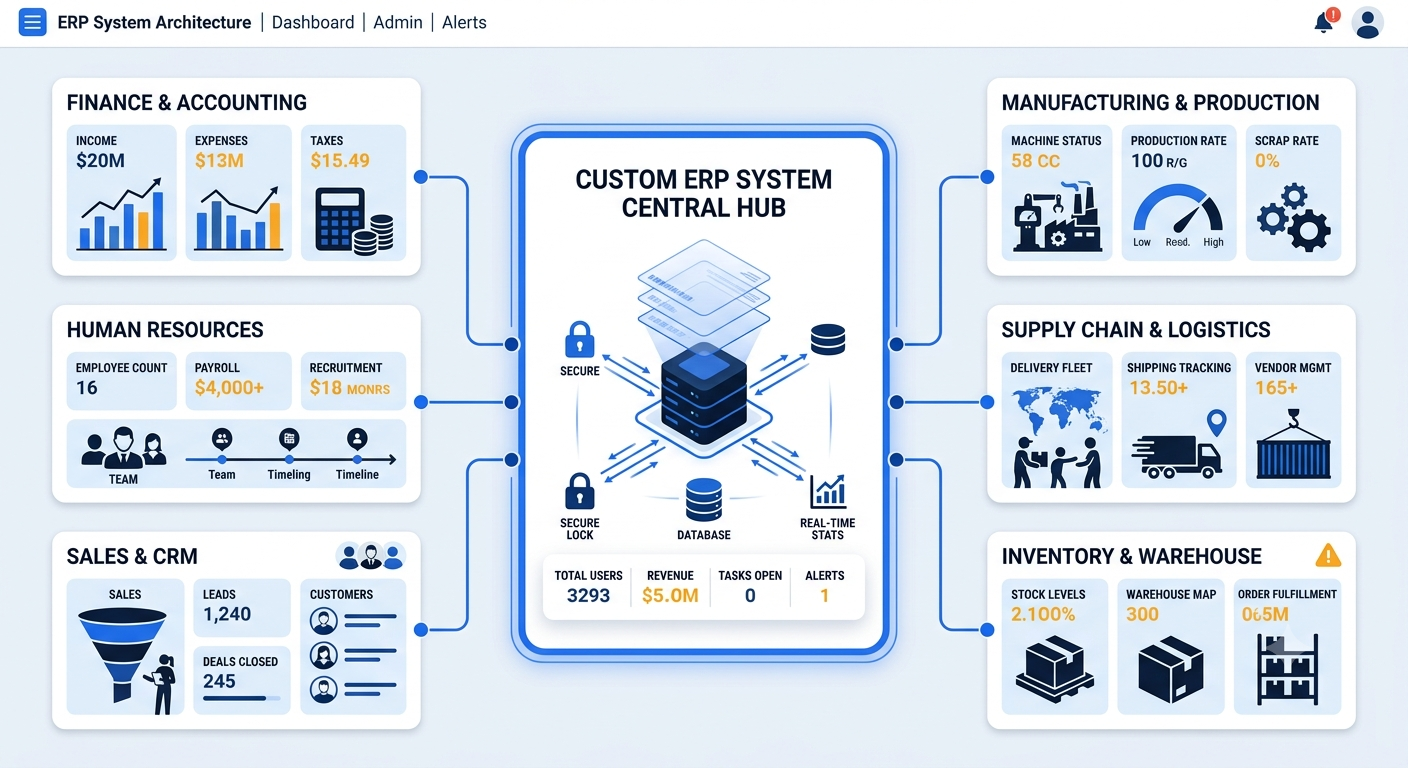
Custom ERP Software Development Architecture
The architecture of a custom ERP system determines how applications, business logic, databases, integrations, users, and security components work together.
A typical custom ERP architecture may contain several layers.
User Interface
The user interface provides employees with access to the functions they need based on their roles and responsibilities.
Application and Business Logic
This layer contains the rules, workflows, calculations, approvals, and processes that control how the ERP system operates.
Database
The database stores business information such as customers, products, vendors, transactions, inventory, financial records, and operational data.
Integration Layer
The integration layer allows the ERP system to communicate with other business applications and external services.
Security
Security controls help determine who can access specific information and perform particular operations.
A well-planned architecture should consider performance, security, maintainability, scalability, integrations, and future development requirements.
Useful ERP Resources
For additional information about ERP systems and modern ERP platforms, these official Microsoft resources provide useful background information.
Custom ERP Software Development Process: Step-by-Step Guide
Custom ERP development should follow a structured process. The exact methodology can vary depending on business size, industry, project scope, integrations, and technical requirements.
Business Requirements Analysis
The first stage is understanding how the business operates. The development team works with stakeholders to understand current workflows, identify operational challenges, define business objectives, and document system requirements.
Important areas may include:
- Finance and accounting
- Sales
- Procurement
- Inventory
- Production
- Warehouse operations
- Customer management
- Reporting
Process Mapping and Solution Design
After requirements are collected, business processes can be mapped and translated into system workflows.
This stage helps determine which processes should be automated, which workflows require customization, what data needs to be stored, and how different departments should interact with the system.
The outcome is a solution design that provides a clear foundation for development.
ERP Architecture and Technology Planning
The technical architecture is planned based on the organization's functional and technical requirements.
- Application architecture
- Database architecture
- Integration architecture
- Security architecture
- Hosting requirements
- User access
- Scalability
The objective is to create an architecture that supports both current requirements and future growth.
ERP Module Development
Development can then begin according to the approved solution design.
Depending on the business, development may include modules for finance, sales, procurement, inventory, manufacturing, warehouse management, projects, customer management, reporting, and other functions.
Modules should not be developed as completely isolated components. They should share appropriate data and workflows so that the ERP functions as an integrated system.
Integration With Existing Systems
Growing businesses rarely operate with only one application. A custom ERP may need to connect with existing systems and services.
- CRM platforms
- E-commerce platforms
- Payment systems
- Banking systems
- Warehouse applications
- Shipping platforms
- Payroll systems
- Business intelligence platforms
Integration requirements should be identified early because they can significantly affect architecture and development.
Data Migration
Existing business data may need to be migrated into the new ERP environment.
Data may include:
- Customer information
- Vendor information
- Product and item data
- Inventory records
- Financial information
- Open orders
- Historical records
Data should be reviewed, cleaned, mapped, tested, and validated before final migration.
Testing and User Acceptance Testing
Testing ensures that the ERP works according to the documented requirements.
Testing may cover:
- Individual features
- Business workflows
- Integrations
- Data accuracy
- User permissions
- Reports
- Performance
User Acceptance Testing (UAT) allows employees and business stakeholders to validate whether the system supports real-world business processes.
Deployment, Training and Go-Live
Once testing is completed, the organization can prepare for deployment.
Employees should receive training based on their roles. Finance users, sales teams, warehouse employees, managers, and administrators may require different training.
A structured go-live plan should define the final data migration, system availability, user access, responsibilities, support procedures, and transition from existing systems.
Post-Go-Live Support and Continuous Improvement
ERP development does not necessarily end at deployment. Once employees begin using the system, new requirements, process improvements, performance considerations, and additional integrations may emerge.
Ongoing support can help organizations maintain the system, resolve issues, improve workflows, and introduce additional capabilities as the business grows.
Common Challenges in Custom ERP Software Development
Custom ERP software can provide significant flexibility, but development projects also involve important challenges.
1 Unclear Requirements
If business requirements are not clearly documented, the project may experience changing scope, delays, and additional development work.
2 Complex Integrations
Connecting several existing systems can increase technical complexity and require careful architecture planning.
3 Data Migration Issues
Duplicate, incomplete, or inconsistent legacy data can create problems during migration.
4 User Adoption
Employees may need time and training to adapt to new workflows and technologies.
5 Scope Creep
Adding new requirements continuously during development can affect project cost, timelines, and technical stability.
6 Long-Term Maintenance
A custom ERP requires appropriate technical ownership, maintenance, security updates, monitoring, and future enhancements.
How to Choose a Custom ERP Development Partner
Selecting the right development partner is one of the most important decisions in a custom ERP project.
Instead of evaluating a company only by its development capabilities, businesses should consider its understanding of business processes, ERP architecture, integrations, industry requirements, and long-term support.
Custom ERP Partner Checklist
It's also important to understand how the development partner handles changing requirements, documentation, security, integrations, testing, deployment, and future enhancements.
For businesses operating across manufacturing, logistics, distribution, engineering, electronics, retail, wholesale, international trade, and project-based environments, ERP requirements can vary significantly.
Innoverse positions its ERP and Microsoft Dynamics 365 services around business transformation, implementation, integration, and industry-focused solutions. Businesses evaluating custom ERP software development can review Innoverse's ERP capabilities before deciding which approach best fits their operational requirements.
Learn more about Innoverse ERP solutions
Is Custom ERP Right for Your Business?
Custom ERP software development may be worth considering when standard software does not adequately support important business requirements or when an organization needs deeper control over its workflows and integrations.
Custom ERP May Be a Good Fit When You Need To:
- Support highly specific business processes
- Integrate multiple existing systems
- Automate complex workflows
- Build industry-specific functionality
- Improve operational visibility
- Create specialized reports and dashboards
- Scale the system with business growth
- Reduce dependency on disconnected applications
However, custom development is not automatically the best choice for every organization.
Businesses should compare the cost, complexity, timeline, maintenance requirements, and flexibility of custom development with standard ERP platforms and configurable ERP solutions.
The right decision should be based on business requirements rather than the technology itself.
Questions to Ask Before Starting Custom ERP Development
Conclusion
A successful custom ERP software development project begins with a clear understanding of business requirements, workflows, users, integrations, data, and long-term business objectives.
From business analysis and solution architecture to development, integration, data migration, testing, training, deployment, and ongoing support, each stage plays an important role in delivering a reliable ERP system.
For growing businesses, the objective should not simply be to create another software application. The objective should be to create a connected business platform that improves operational visibility, supports automation, connects departments, and provides a foundation for future growth.
Before starting a custom ERP project, businesses should clearly define their requirements, prioritize important workflows, evaluate integration needs, understand the long-term maintenance commitment, and choose a development partner with strong business and technical expertise.
If your organization is evaluating ERP modernization or custom ERP software development, Innoverse can help you assess your requirements, plan the right ERP approach, and build a technology foundation aligned with your business objectives.
Further Reading
If you want to understand how ERP platforms connect finance, supply chain, manufacturing, procurement, and other business functions, explore Microsoft's official ERP resources.