
ERP Software in India: Connecting Manufacturing, Finance and Business Operations for Smarter Growth
Modern ERP solutions for Indian manufacturers, MSMEs and growing enterprises
Running a successful business requires more than increasing sales. Every department must work together, resources must be used efficiently, and managers need reliable information to make decisions.
For many organizations, that becomes difficult when purchasing, inventory, production, accounting, sales and customer service operate through different applications.
ERP software in India helps businesses overcome these challenges by bringing important business activities into one connected environment.
From a small engineering workshop managing raw materials to a multi-location manufacturer coordinating production and distribution, Enterprise Resource Planning (ERP) systems can improve visibility, reduce repetitive work and create more consistent business processes.
At Innoverse360, we help businesses evaluate, implement, customize and integrate ERP technologies suited to their operational requirements. Our work covers Microsoft Dynamics 365, SAP, Odoo, ERPNext and custom ERP solutions, with a particular focus on manufacturing, supply chains, finance and business automation.
This guide explores how ERP works, which capabilities matter most, how different industries use ERP systems, and what Indian businesses should consider before investing in digital transformation.
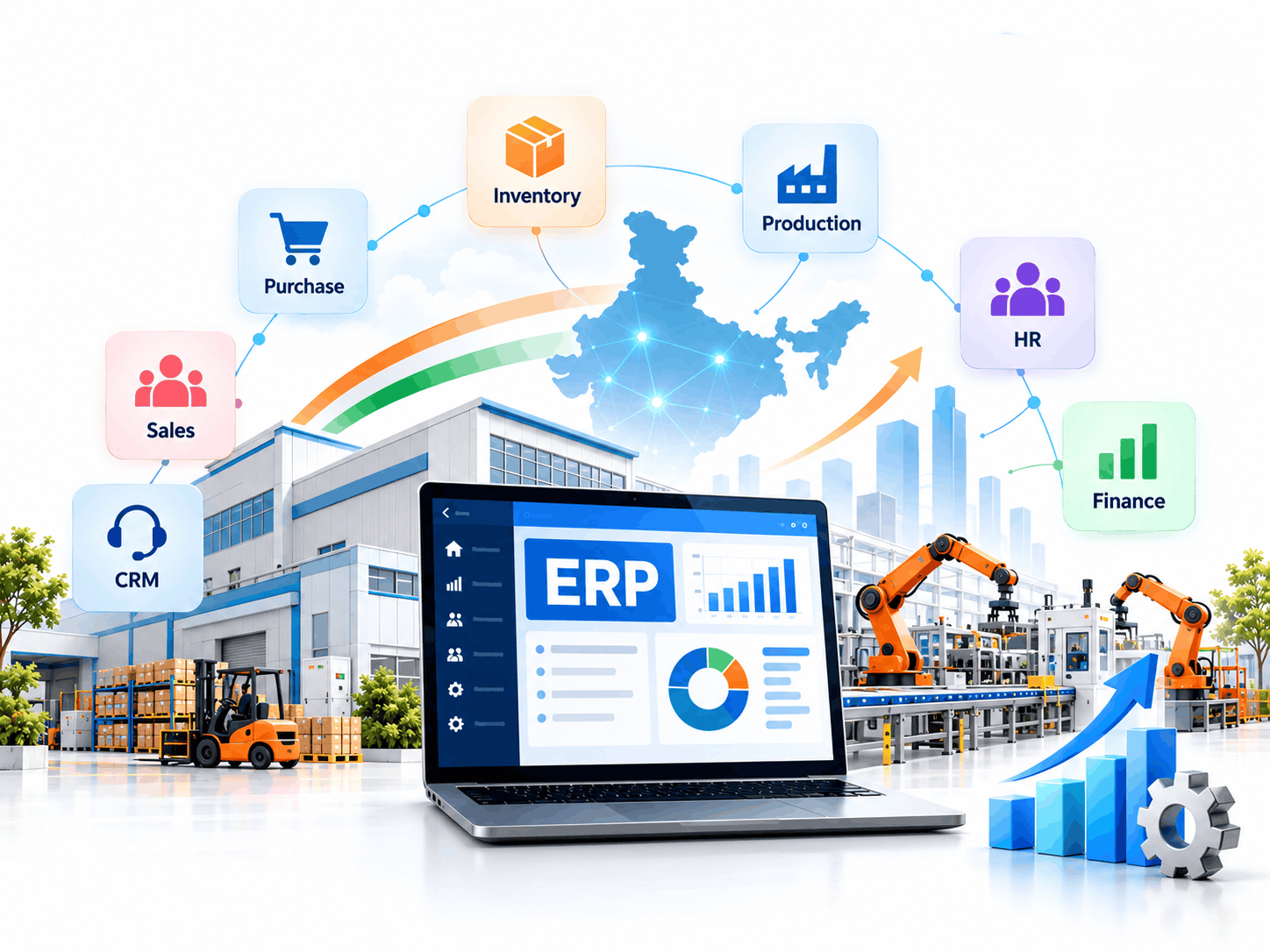
From Disconnected Departments to One Intelligent Business System
A growing business may use one application for accounting, another for customer enquiries, spreadsheets for inventory and paper records for production activities.
Although each tool serves a purpose, disconnected information often creates unnecessary work.
Consider a manufacturer receiving a customer order for 500 finished components. Before confirming delivery, the team needs answers to several questions:
Raw Material Stock
Are enough raw materials available?
Procurement Needs
Which materials must be purchased?
Schedule Feasibility
Can production complete the order on time?
Resource Readiness
Are machines and employees available?
Cost Estimation
What is the expected production cost?
Dispatch Timeline
When can the products be dispatched?
Financial Impact
How will the transaction affect revenue and cash flow?
Without integration, employees may spend hours collecting this information.
A properly configured ERP software in India system connects these activities. Sales orders can trigger availability checks, material planning can identify shortages, production teams can receive work instructions, and finance can track the associated transactions.
The result is not simply faster data entry. It is a clearer understanding of how decisions in one department affect the entire business.
How ERP Creates a Connected Workflow
A typical order-to-delivery process powered by ERP software in India can move through the following stages:
Customer enquiry
A sales representative records the opportunity and prepares a quotation.
Order confirmation
The accepted quotation becomes a sales order.
Stock verification
The system checks available inventory and existing commitments.
Material planning
Required quantities are calculated using product specifications and bills of materials.
Procurement
Purchase requests are created for materials that are unavailable.
Production execution
Work orders guide manufacturing activities and track progress.
Quality verification
Inspected products are accepted, rejected or returned for correction.
Warehouse dispatch
Finished goods are packed and prepared for delivery.
Billing and collection
Finance processes invoices, receivables and related accounting entries.
Management reporting
Authorized users review order status, costs and operational performance.
The exact workflow varies by ERP platform and configuration, but the principle remains consistent: information entered once should support multiple business functions wherever practical.
The ERP Building Blocks That Keep Operations Moving
The effectiveness of ERP software in India depends on how well its modules support actual business activities.
Businesses do not necessarily require every available feature. A useful ERP implementation begins with the functions that solve important operational problems and expands as requirements evolve.
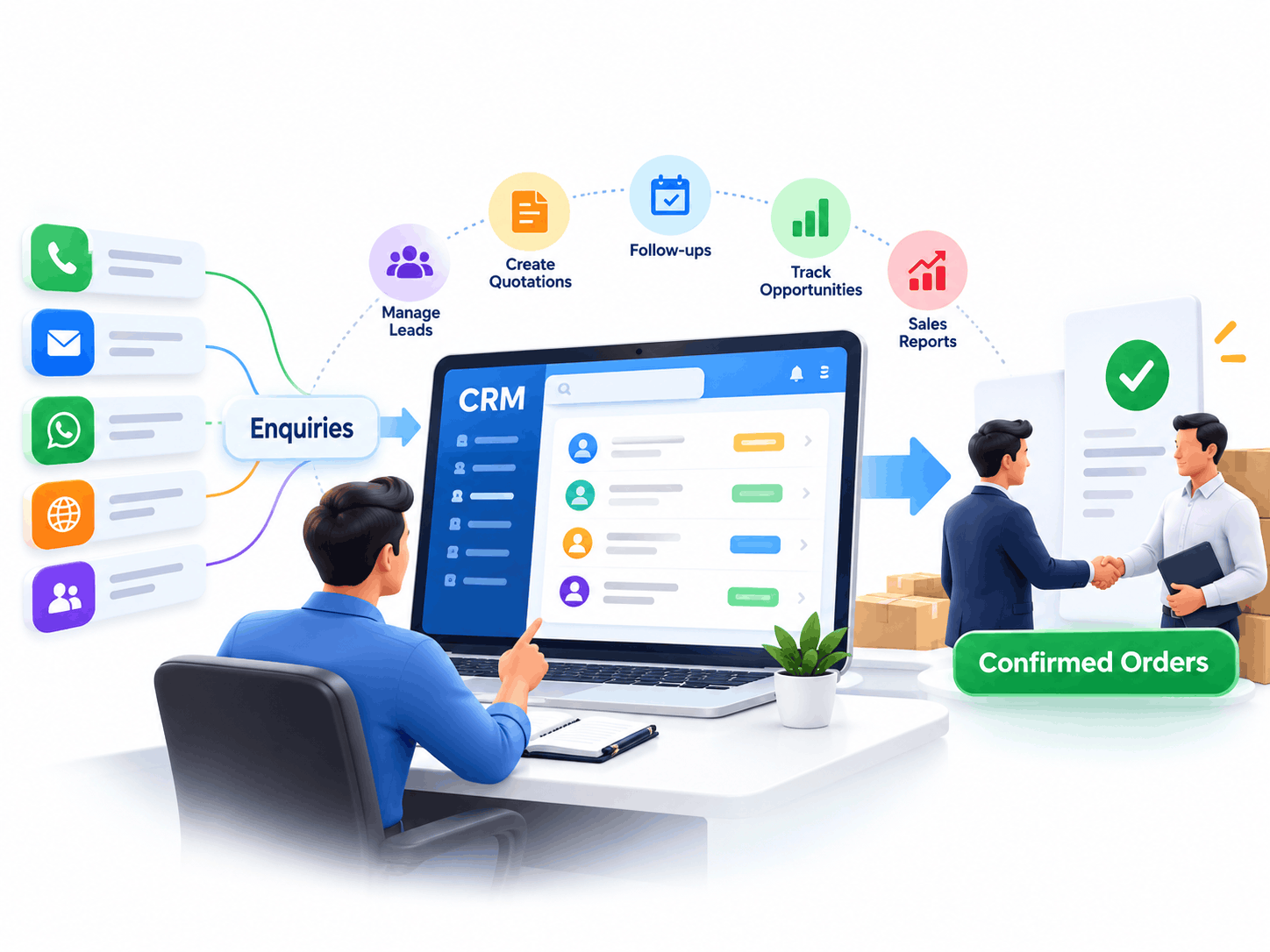
1. Turn Customer Enquiries into Confirmed Orders
An ERP-connected Customer Relationship Management (CRM) system helps sales teams manage the journey from initial enquiry to customer conversion.
Rather than storing leads in separate spreadsheets, employees can record contact information, customer requirements, conversations, quotations and planned follow-ups.
Managers can monitor open opportunities, identify delayed responses and understand which enquiries are most likely to become confirmed business.
Important capabilities include:
- Customer and prospect records
- Lead assignment and follow-up reminders
- Quotation preparation and approval
- Opportunity and pipeline tracking
- Customer communication history
- Sales activity and conversion reporting
For example, an industrial equipment supplier may receive enquiries through its website, telephone and sales representatives. An integrated CRM can organize those enquiries and connect approved quotations to the order management process. This reduces the gap between sales activity and operational execution.
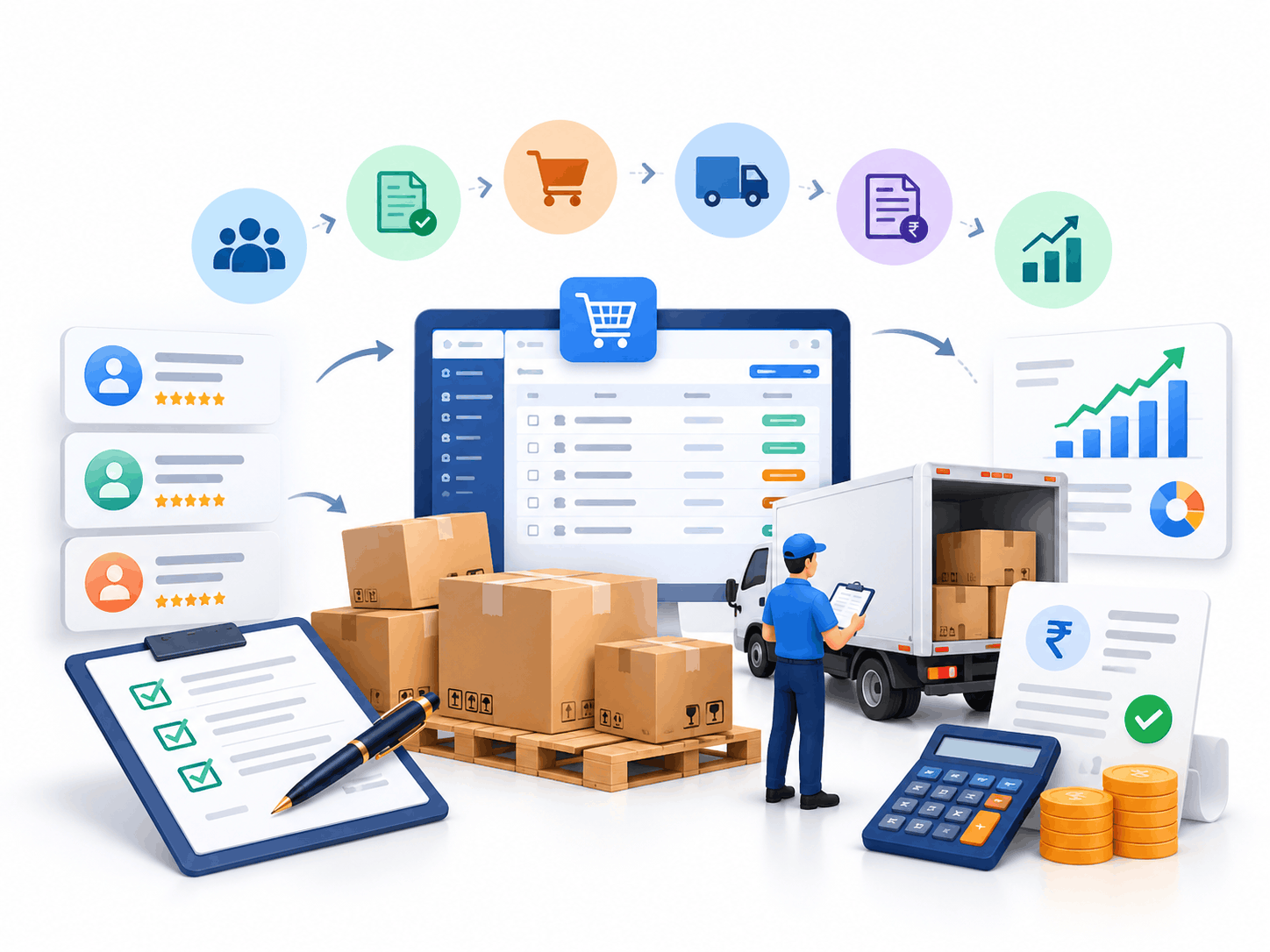
2. Build More Reliable Supplier and Purchasing Processes
Procurement becomes more complicated as the number of suppliers, materials and purchasing requests increases.
An ERP purchasing module helps organizations organize supplier information, compare purchasing requirements and manage transactions from request to receipt.
Purchase requisitions can be routed for approval before authorized employees generate purchase orders.
When goods arrive, the receiving team can record quantities and identify differences between ordered, delivered and accepted materials.
Supplier invoices may then be matched against purchase orders and goods receipts according to the configured approval process.
Businesses can manage:
- Supplier profiles and purchasing terms
- Material requisitions and approval workflows
- Purchase orders and delivery schedules
- Goods receipt notes
- Purchase returns and invoice matching
- Supplier delivery and performance reports
This is especially useful for manufacturers that depend on timely raw material deliveries.
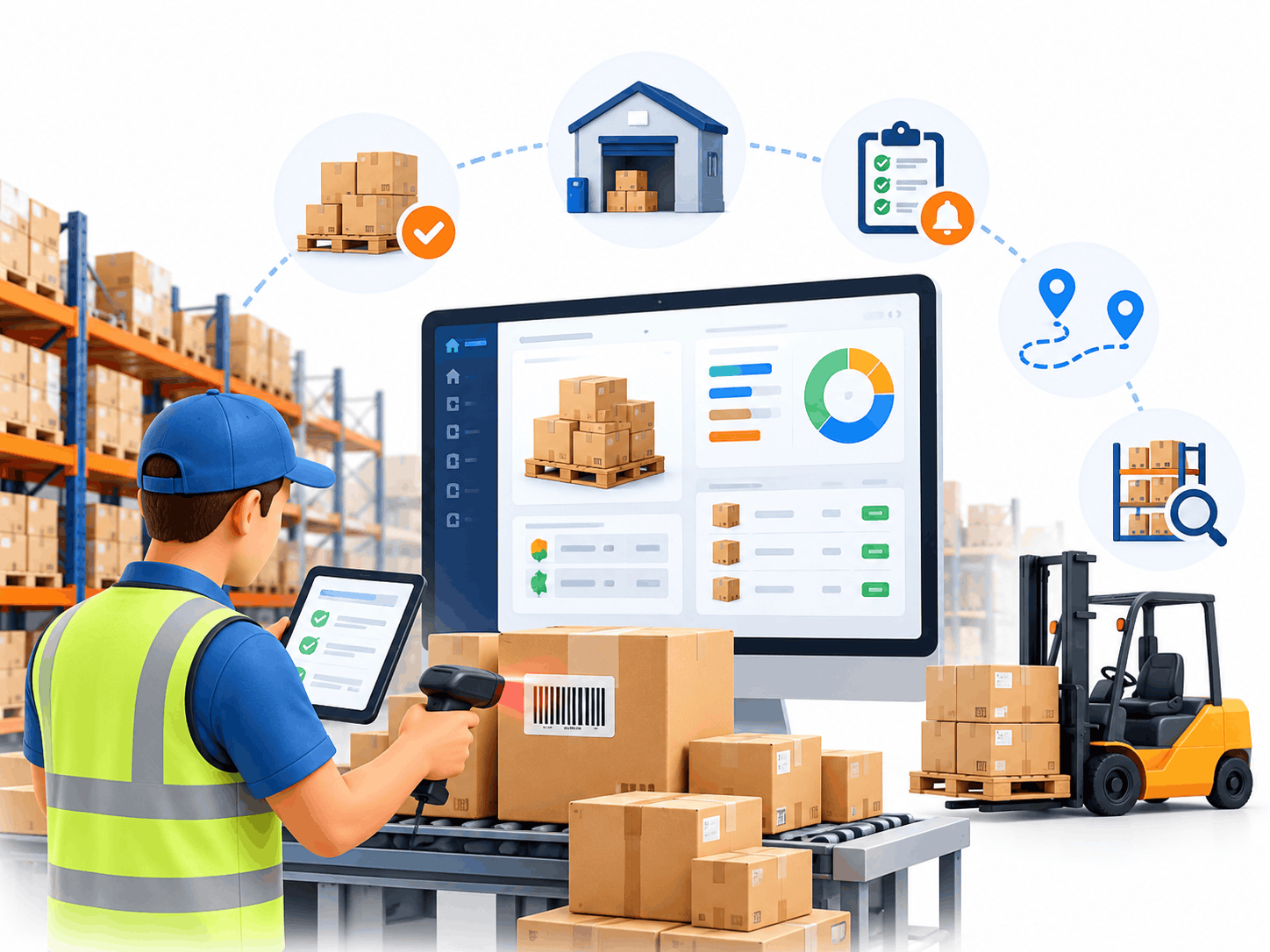
3. Make Every Stock Movement Easier to Trace
Accurate inventory information is essential for controlling costs and meeting delivery commitments.
ERP inventory management connects goods receipts, stock transfers, consumption, production output and dispatch activities.
Depending on the solution, organizations can track materials across multiple warehouses, storage locations and branches.
Barcode-supported workflows can further reduce manual entry during receiving, picking, packing and stock verification.
Common inventory controls include:
- Real-time stock availability
- Reorder levels and shortage alerts
- Batch, lot or serial-number tracking
- Warehouse transfers and stock adjustments
- Physical inventory counts
- Slow-moving and ageing stock reports
- Stock valuation and movement history
For example, a company operating warehouses in Chennai, Bengaluru and Pune may require centralized visibility while allowing each warehouse to manage its daily transactions independently. An integrated inventory system in ERP software in India can support this requirement without forcing managers to collect separate reports from every location.
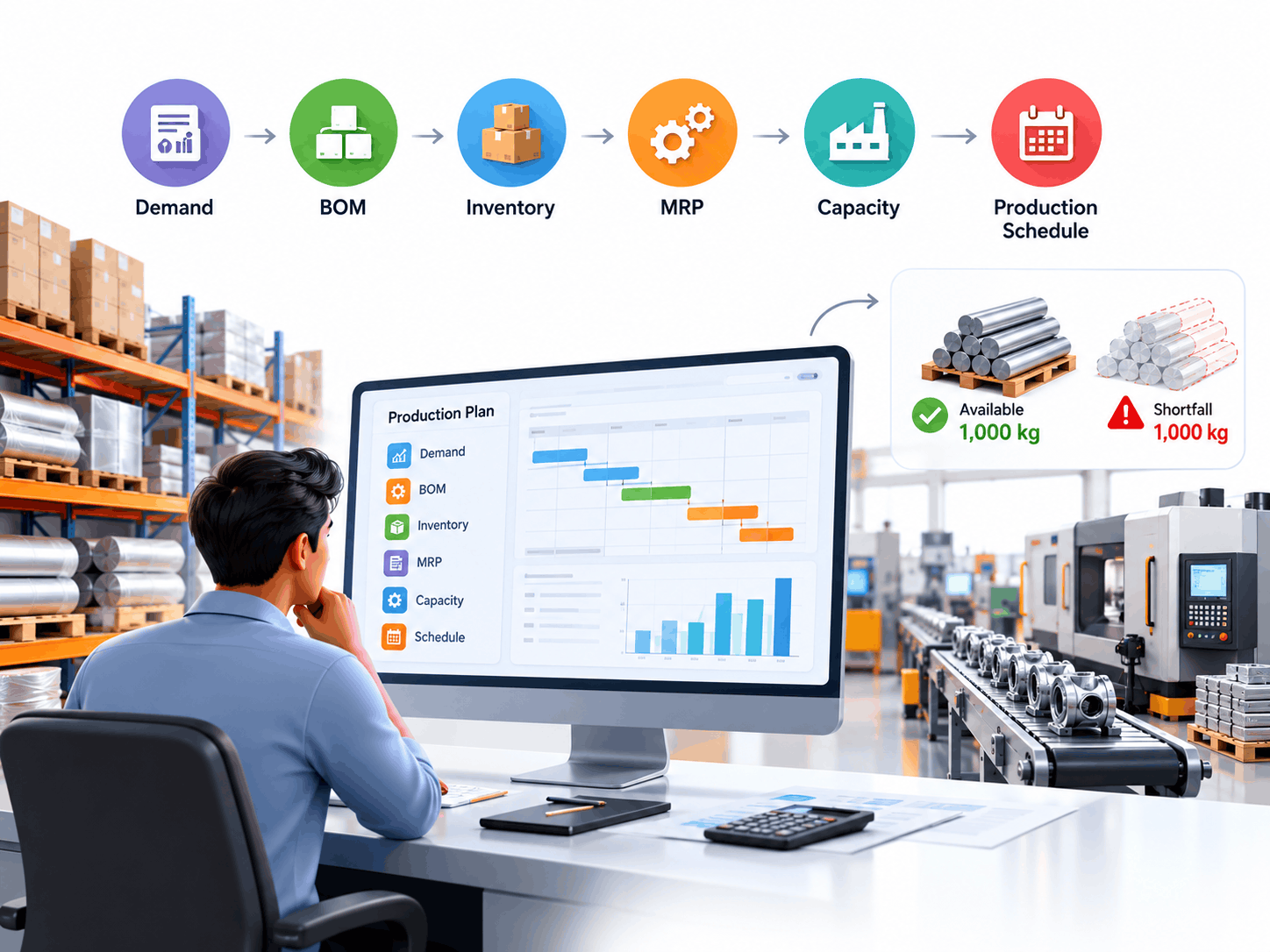
4. Plan Materials Before Production Problems Begin
Manufacturers need to know what to produce, when to produce it and which resources will be required.
Production planning connects demand, inventory, material requirements, manufacturing capacity and expected completion dates.
Material Requirements Planning (MRP) helps calculate requirements based on demand, bills of materials, available stock, outstanding purchase orders and other configured planning parameters.
Suppose a manufacturer needs to produce 500 components, each requiring 4 kg of a particular raw material. The gross material requirement is:
If only 1,000 kg is available after considering existing reservations, the system identifies a 1,000 kg shortfall before allowing for any additional scrap, safety stock or other planning requirements.
That early visibility gives the purchasing and production teams time to respond.
Advanced planning configurations may also consider supplier lead times, machine capacity, routing information and production priorities.
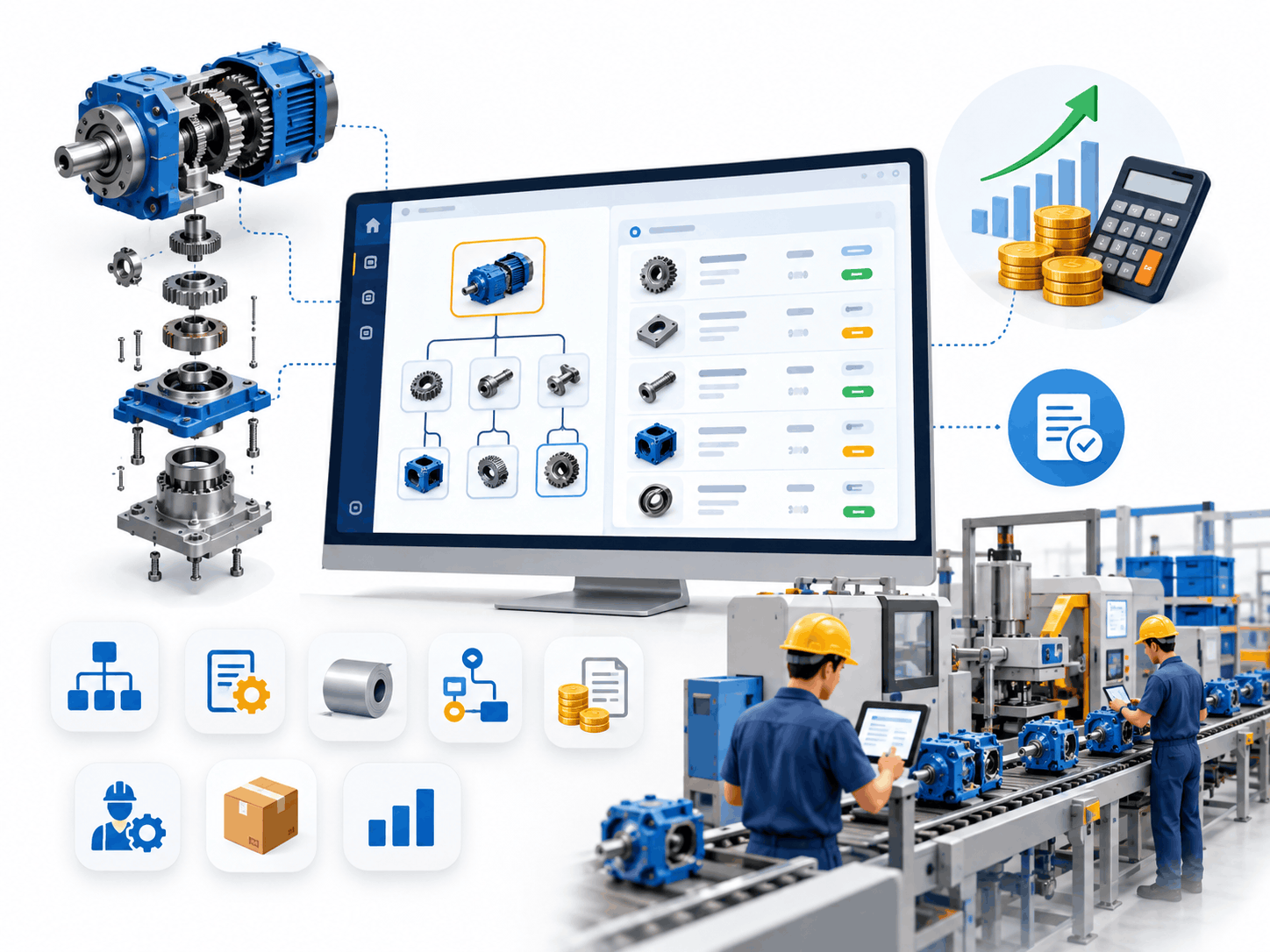
5. Keep Product Structures and Manufacturing Costs Under Control
A Bill of Materials (BOM) defines the materials, subassemblies and quantities needed to manufacture a finished product.
For simple products, this may involve only a few components. Complex machinery and equipment may require multiple levels of assemblies, purchased parts and manufactured components.
Multi-level BOM capabilities help businesses manage these relationships systematically.
When combined with routing and costing information, ERP software in India can help calculate planned material consumption, manufacturing costs and production requirements.
Useful manufacturing controls include:
- Multi-level bills of materials
- Product revisions and version control
- Material consumption records
- Routing and operation sequences
- Standard and actual cost comparisons
- Subcontracting or job-work tracking
- Work-in-progress visibility
For engineering businesses that manufacture customized equipment, controlled BOM revisions can help prevent production teams from using outdated specifications.
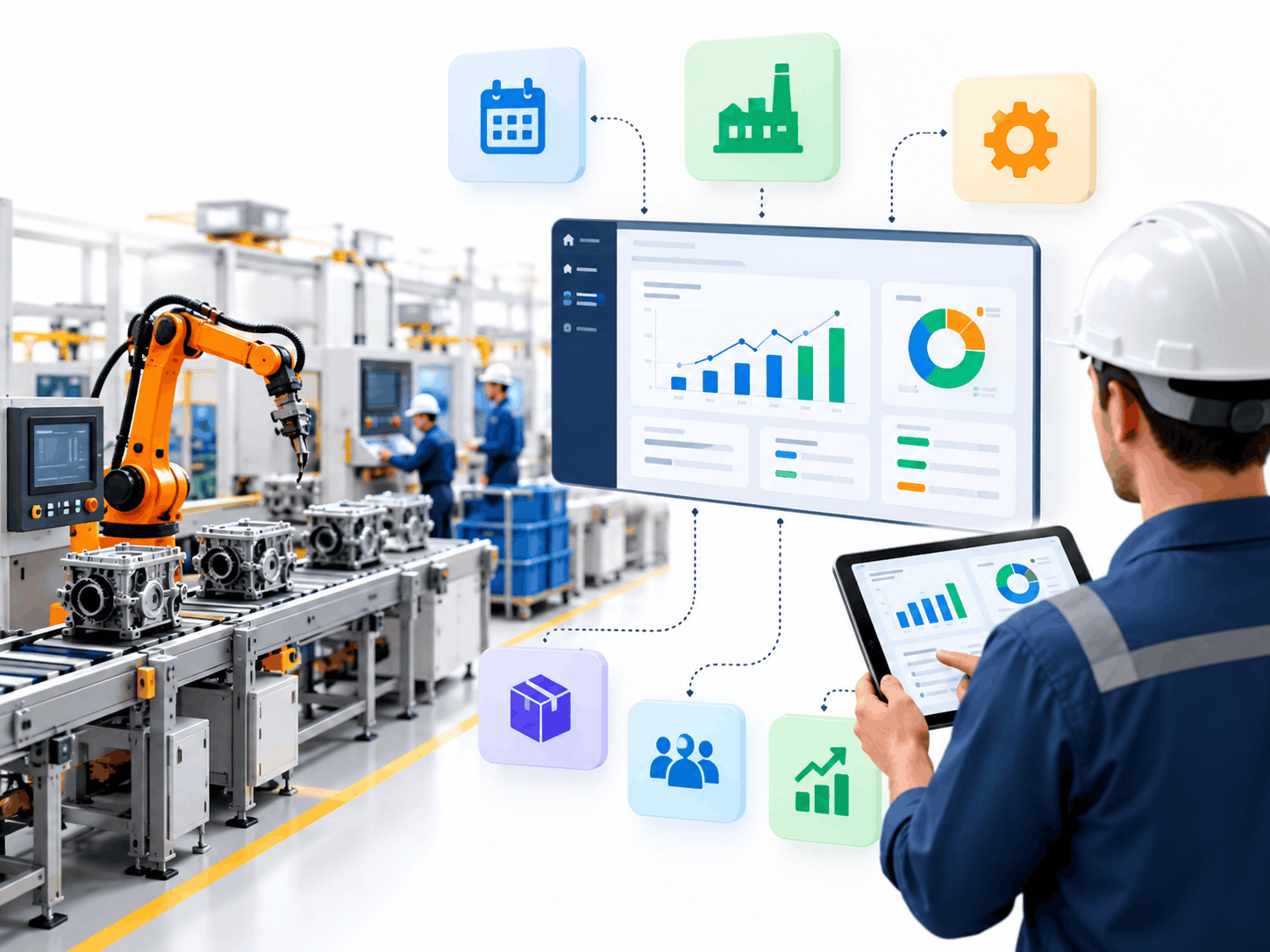
6. Monitor Manufacturing Activity Beyond the Office
Production planning provides the schedule; shop floor execution shows what is happening against that schedule.
A manufacturing ERP software in India system may allow authorized users to record production starts, completed quantities, material issues, machine utilization, employee time and manufacturing losses.
Supervisors can review open work orders and identify operations that are falling behind.
The exact capabilities depend on the ERP platform and whether a separate Manufacturing Execution System (MES) is integrated.
Useful measures include planned versus actual output, production cycle time, rejection quantity, material consumption variance and work-order completion status.
For organizations managing several production lines, this visibility supports quicker coordination between production, purchasing, maintenance and management.
7. Connect Quality Decisions with Inventory and Production
Quality problems become expensive when defective materials move unnoticed through manufacturing or distribution.
ERP-supported quality workflows help businesses organize inspection requirements and document outcomes at relevant stages of operations.
Incoming materials may be checked before acceptance. Work-in-progress inspections can identify process problems, while finished-goods inspections help confirm whether products meet defined requirements.
A suitable implementation can support inspection plans, test readings, non-conformance records, rejection reasons and corrective-action workflows.
For businesses producing precision components or regulated products, traceability and quality records may be especially important.
However, industry-specific certification or regulatory compliance still requires appropriate procedures, validation and controls beyond basic ERP software in India.
8. Create a More Predictable Sales-to-Dispatch Cycle
Order management becomes easier when sales teams, warehouses and finance departments share consistent information.
A connected sales process can take an approved quotation through order confirmation, stock allocation, picking, delivery documentation and invoicing.
Different pricing agreements, customer credit limits, discount approvals and delivery schedules can be configured according to business requirements.
For distributors processing large numbers of orders, this helps employees identify pending shipments, partial deliveries and outstanding invoices.
When ERP software in India is integrated with e-commerce applications, online order details can also flow into the operational system.
9. Bring Financial Control Closer to Daily Operations
Financial visibility should not begin only after monthly reports are prepared. ERP finance capabilities connect accounting records with purchasing, inventory, sales and other operational transactions.
Depending on the platform and configuration, the finance module can support:
- General ledger management
- Accounts receivable and payable
- Bank and cash transactions
- Cost centers and budgeting
- Fixed asset accounting
- Cash flow monitoring
- Financial statements and management reporting
- Multi-branch or multi-company consolidation
An integrated approach helps finance teams understand where costs originate and how operating decisions influence profitability. For example, an increase in raw material prices can affect production costs, product margins and future purchasing budgets. A well-designed reporting structure makes these relationships easier to examine.
10. Organize Field Service, Complaints and Equipment Maintenance
For businesses that sell machinery, equipment or technical services, customer relationships often continue after delivery.
Service management functionality can help organize complaints, maintenance requests, technician assignments, spare parts and service history.
Relevant workflows may include ticket registration, priority assignment, job scheduling, technician updates and service closure.
Businesses offering annual maintenance contracts (AMCs) or warranties may also need to track contract periods, covered products, scheduled service visits and renewal dates.
A service management module can connect these activities to inventory and finance when supported by the chosen platform.
This is useful for industrial machinery suppliers, equipment distributors and businesses managing field-service teams.
11. Support Workforce Administration and Management Reporting
Human resources and payroll modules can help maintain employee records, attendance, leave information, payroll inputs and organizational structures. They may also support departmental permissions and employee self-service functions.
For management teams, role-specific dashboards in ERP software in India can display sales performance, inventory exposure, overdue purchasing, manufacturing progress and financial results.
A factory supervisor and a finance director do not need identical dashboards. Each should have access to the information necessary for their responsibilities. This is where carefully designed permissions, reports and user interfaces become important.
Intelligent Automation Beyond Traditional ERP Modules
Businesses often gain additional value when ERP is connected with automation and external applications.
ERP software in India can serve as the foundation for a broader digital business environment rather than operating as a completely isolated application.
Reduce Repetitive Administrative Work
Routine activities such as approval notifications, payment reminders, purchase requests, recurring reports and document routing can often be automated.
For example, an approved material request might generate a notification for the purchasing department rather than requiring employees to exchange several emails.
Automation rules should include appropriate authorization and exception handling. Sensitive financial or purchasing decisions should not be approved automatically without suitable controls.
Connect ERP with Websites and E-Commerce Platforms
Retailers, manufacturers and distributors increasingly receive orders through websites, marketplaces and digital sales channels.
An integration can transfer approved order information into ERP, update inventory availability and share fulfillment status with other applications.
Businesses should evaluate how the integration handles duplicate orders, cancelled transactions, returns and failures before going live.
Integrate External Business Applications
Application Programming Interfaces (APIs) allow compatible systems to exchange information.
Depending on available connectors and technical requirements, ERP may integrate with accounting tools, CRM applications, payment services, shipping providers, business intelligence platforms and specialized manufacturing systems.
Successful integration requires more than connecting two applications. Businesses must also define which system owns each record, how often data synchronizes and how errors will be handled.
Make Documents Easier to Process
Automated document processing can support activities such as extracting information from supplier invoices and transferring validated details into accounting workflows.
Innoverse360's invoice capture automation capabilities are designed around reducing repetitive processing work.
Such workflows still need checks for missing data, duplicate records, incorrect amounts and documents that require human review.
ERP Systems Designed Around Different Indian Industries
The right solution depends on business operations, not simply the organization's size. An automotive component manufacturer has different challenges from a wholesale distributor or a field-service company.
That is why industry-specific configuration matters when evaluating ERP software in India.
Manufacturing and Engineering Companies
Manufacturers require coordination between engineering, procurement, stores, production, quality and finance.
Their ERP requirements may include BOM control, material planning, work orders, subcontracting, production costing and finished-goods traceability.
Discrete manufacturers generally focus on assemblies and component structures, while process manufacturers may require formulas, batch control and yield tracking.
Businesses with specialized production requirements can explore this detailed guide to batch manufacturing ERP software.
Automotive and Precision Component Suppliers
Automotive and engineering suppliers often manage multiple product revisions, customer-specific requirements and strict delivery schedules.
They may require serial or batch tracking, quality documentation, subcontractor coordination and production performance reporting.
ERP can help connect purchasing, manufacturing and quality data to support those processes.
Specific automotive standards and customer compliance requirements must still be assessed separately.
Electronics and Industrial Equipment Businesses
Electronics manufacturers may need detailed component inventories, multi-level BOMs, revision control and traceability.
For high-value or technically complex equipment, tracking serial numbers and replacement parts can also support after-sales service.
The system should be evaluated against actual product structures, assembly workflows and testing requirements.
Wholesale Trading and Distribution
Trading businesses focus heavily on stock accuracy, supplier availability, pricing, customer credit and timely delivery.
A useful ERP configuration can coordinate procurement, inventory, sales orders, warehouse transfers and receivables.
Businesses operating multiple branches may also need centralized reporting with location-specific operational permissions.
Logistics and Warehousing Organizations
Logistics companies and third-party logistics providers need visibility into shipments, warehouse activities, customer service commitments and operating costs.
ERP integrations can connect financial information with transportation, warehouse or shipment management platforms.
Innoverse360 also offers shipping integration capabilities intended to connect ERP processes with logistics services.
MSMEs and Expanding Small Businesses
Micro, small and medium enterprises often have limited IT resources, smaller budgets and employees performing several responsibilities.
For these businesses, a practical starting point may include sales, purchasing, inventory and finance. Manufacturing and other advanced modules can be introduced when operational requirements justify them.
ERP for MSMEs should prioritize ease of use, essential controls, manageable ownership costs and the ability to expand later.
Service, Installation and Maintenance Businesses
Service-focused companies may rely less on material production and more on jobs, technicians, project expenses, contracts and customer communication.
Relevant capabilities include service tickets, resource scheduling, work completion records, expense tracking and invoicing.
Businesses supplying healthcare or technical equipment may additionally need equipment identification, service history and warranty information.
Importers, Exporters and Multi-Location Enterprises
Businesses involved in international trade may require currency handling, purchasing and sales coordination, inventory tracking, shipping information and consolidated financial reporting.
Where operations span multiple legal entities or countries, ERP software in India requirements can become more complex.
Tax, customs and reporting needs must be evaluated according to the jurisdictions involved.
Cloud, On-Premise or Hybrid: Choosing Your ERP Environment
Selecting the right deployment model affects accessibility, infrastructure responsibilities, operational reliability and long-term costs.
Cloud ERP for Distributed Teams
Cloud ERP software in India can help authorized users access business information through internet-connected devices, subject to the platform's capabilities and security policies.
Cloud deployment may simplify centralized upgrades and reduce the need to operate physical servers at every location. It is particularly useful for businesses managing geographically distributed offices, branches or warehouses.
However, companies should still review internet dependency, service availability, data protection, backup policies and subscription expenses.
On-Premise ERP for Specific Operational Needs
Some organizations prefer infrastructure hosted and controlled within their own environment.
On-premise ERP may be suitable when particular operational, governance or integration requirements make this approach preferable.
Businesses remain responsible for appropriate infrastructure maintenance, security, disaster recovery and system upgrades.
Hybrid ERP for Complex Enterprises
A hybrid architecture combines selected cloud services with systems maintained in other environments.
For example, a company may retain certain manufacturing applications locally while using cloud-based reporting or customer-facing services.
The right choice depends on operational needs, integration requirements and the organization's IT capabilities.
Innoverse360 helps businesses evaluate deployment options instead of assuming the same architecture is suitable for everyone.
GST, Electronic Invoicing and India-Specific Business Requirements
ERP selection in India must account for local financial and compliance workflows when configuring ERP software in India.
Relevant requirements may include GST tax classification, HSN or SAC information, tax invoice data, credit and debit notes, purchase and sales reconciliation, and electronic invoicing where applicable.
Depending on the business, e-way bill and export-related processes may also be necessary.
Organizations should confirm applicable rules, exemptions and official updates through the GST Portal and the government's e-invoicing resources.
Innoverse360 provides an India-focused e-invoicing integration solution intended to support electronic invoice registration and related workflows.
Important: No ERP product should be assumed to guarantee legal compliance automatically. Actual functionality depends on the platform, installed integrations, configuration and current regulations. Tax teams should validate the final workflow.
Where ERP Can Help
A properly configured system may help finance and operations teams:
- Maintain consistent tax information across transactions.
- Reduce duplicate data entry between billing and accounting.
- Prepare invoice information for supported integrations.
- Organize purchase and sales reconciliation data.
- Track approval and correction histories.
- Produce reports required for internal compliance reviews.
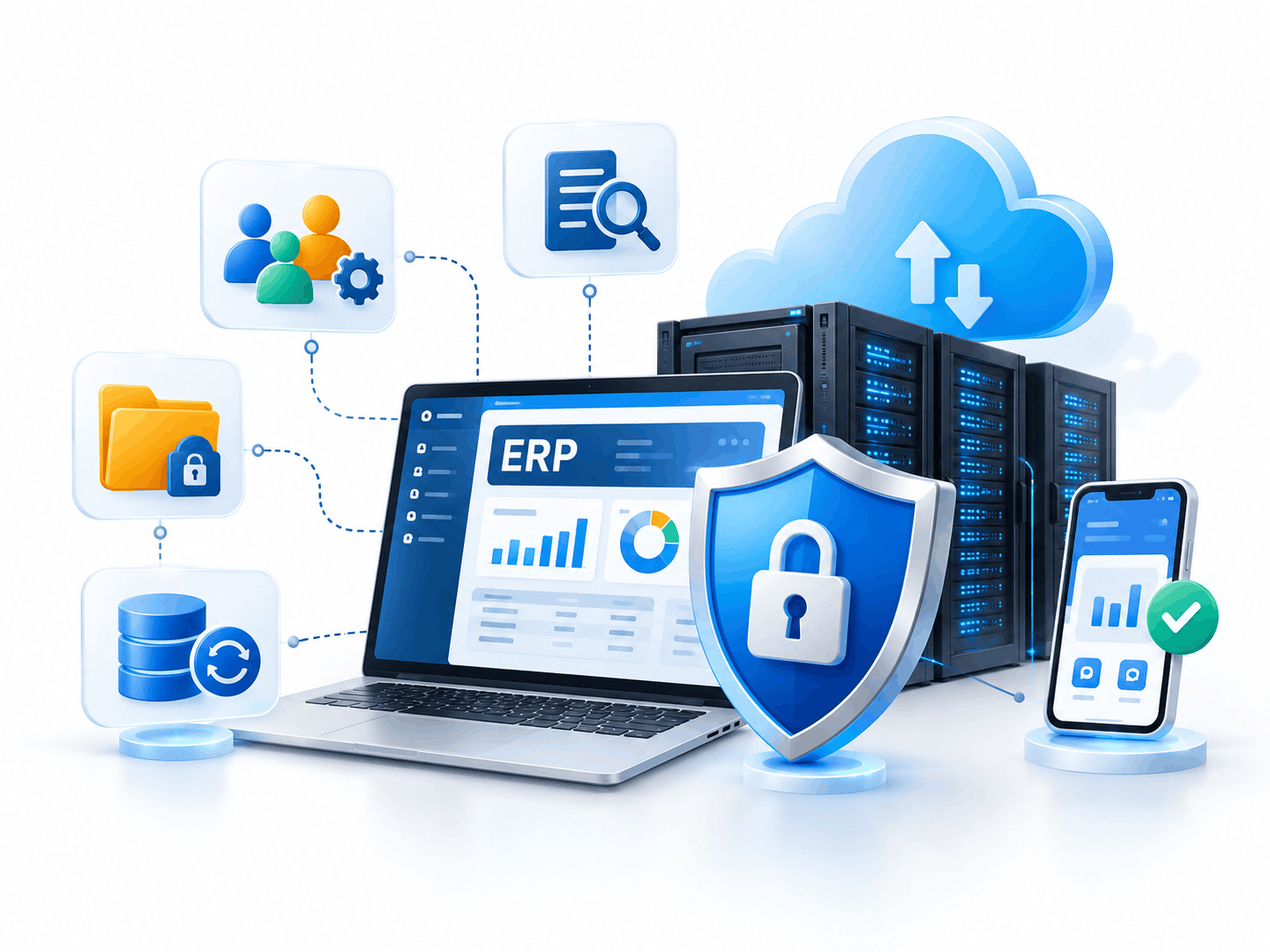
Protecting Business Data and Keeping ERP Available
ERP platforms often contain commercially sensitive information, including customer records, supplier pricing, inventory valuation, employee data and financial transactions.
Security therefore needs to be considered during system design rather than after deployment of ERP software in India.
A well-managed ERP environment should be evaluated for role-based permissions, authentication, audit logging, encryption options and controlled administrative access.
Backup and recovery policies are equally important. Businesses should ask where backups are stored, how often they are created, how long they are retained and whether recovery procedures have been tested.
For organizations operating several sites, mobile accessibility and reliable synchronization may also be important. Mobile ERP capabilities should support necessary business functions without exposing information beyond the user's authorization.
How Connected ERP Improves Business Performance
ERP benefits are easier to evaluate when they are linked to measurable outcomes. The objective should not be to purchase the largest software package. It should be to improve specific business processes with ERP software in India.
More Time for Productive Work
When data moves between departments through integrated workflows, employees spend less time re-entering information and reconciling separate reports. A purchasing manager may be able to review approved material requirements directly rather than requesting updated spreadsheets from production.
Fewer Inventory Surprises
Better stock visibility can help businesses identify shortages and excess quantities earlier. The results depend on accurate transactions, timely scanning or recording, and dependable inventory procedures. ERP cannot provide accurate stock information if users regularly bypass the system.
Faster Decisions Based on Current Information
Management dashboards can reduce delays between an operational event and its appearance in reporting. A plant manager might review late work orders, while a finance manager monitors overdue customer balances. Access to current information allows problems to be investigated before they become larger.
Better Visibility into Operating Costs
ERP can connect purchasing prices, material consumption, labour inputs, inventory values and financial reporting. This supports more informed discussions about product margins, waste, pricing and operational efficiency.
Growth Without Rebuilding Every Process
As businesses add users, warehouses, products and branches, scalable ERP software in India architecture can support expansion. However, scalability should be assessed through realistic transaction volumes, business requirements and platform limitations rather than marketing claims alone.
Business Metrics Worth Tracking
Before implementation, businesses should record a baseline for important metrics.
| Business function | Suggested KPI |
|---|---|
| Sales | Order processing time |
| Purchasing | Supplier on-time delivery rate |
| Inventory | Stock accuracy percentage |
| Manufacturing | Schedule adherence |
| Quality | Rejection or rework rate |
| Finance | Days to close accounts |
| Collections | Average receivables collection period |
| Service | Ticket resolution time |
Tracking these indicators before and after implementation helps management evaluate whether the ERP software in India project is creating measurable value.
Selecting an ERP Platform That Fits Your Business
The Indian ERP market includes large enterprise platforms, modular business applications, open-source products and custom-built systems. No single ERP platform is universally best when comparing ERP software in India.
Microsoft Dynamics 365
Microsoft Dynamics 365 includes business applications designed for finance, operations, sales, service and related activities.
Dynamics 365 Business Central may suit growing organizations seeking integrated business management, while other Dynamics applications address more complex enterprise requirements.
SAP
SAP offers several enterprise application options, including SAP S/4HANA and SAP Business One.
Businesses should evaluate the relevant SAP product against their operational complexity, integration needs, implementation resources and total ownership costs.
Odoo
Odoo provides modular applications covering areas such as CRM, sales, purchasing, accounting, inventory and manufacturing.
It can be attractive for organizations that want to introduce applications in stages, although customization and advanced operational requirements should be assessed carefully.
ERPNext
ERPNext is an open-source ERP platform offering modules for accounting, inventory, manufacturing, purchasing, sales and other functions.
It may be suitable for businesses comfortable with the implementation and maintenance responsibilities associated with open-source solutions.
Custom ERP Applications
Some organizations have workflows that cannot be addressed economically through standard configurations. A custom ERP or specialized extension may be appropriate in these circumstances.
However, custom development should be justified by business value because it introduces ongoing maintenance, testing and upgrade responsibilities.
For an in-depth evaluation, see our comparison of SAP, Dynamics 365, Odoo and ERPNext for Indian manufacturers.
Compare ERP PlatformsA Practical Roadmap from ERP Planning to Go-Live
Successful ERP software in India implementation begins with a clear business problem and continues well beyond software installation.
Phase 1: Understand Existing Workflows
Document how departments currently handle enquiries, purchasing, inventory, production, invoicing and reporting. Identify repeated work, delays, inconsistent records and unnecessary approvals. Speak directly with the employees who perform these activities every day.
Phase 2: Define Business Requirements
Separate essential features from optional improvements. A manufacturing business might prioritize inventory accuracy and production planning, while a distribution company may focus on order fulfillment and credit management. Agree on expected outcomes and measurable success criteria.
Phase 3: Design the Solution
Evaluate ERP platforms, required modules, integration points, data structures and authorization rules. Map important workflows before approving custom development. Where practical, use proven platform functionality instead of customizing every procedure.
Phase 4: Prepare and Transfer Data
Review customer, supplier, product, inventory and accounting records. Remove duplicate information, standardize naming and validate important balances. Migration plans should include reconciliation, ownership and recovery procedures. Historical data requirements must also be agreed upon before migration begins.
Phase 5: Test Complete Business Scenarios
ERP testing should follow realistic transactions rather than checking screens individually. For example, test a customer order from quotation through material purchase, production, dispatch, invoicing and payment. Also test exceptions such as rejected materials, partial deliveries, returns, cancelled orders and failed integrations.
Phase 6: Train Employees and Prepare for Launch
Different teams need training relevant to their responsibilities. Warehouse employees may need practical stock movement exercises, while finance teams need transaction and reporting procedures. A controlled go-live plan should identify responsible employees, approved data, support arrangements and escalation procedures.
Phase 7: Improve After Deployment
After launch, review user feedback, transaction accuracy, system performance and the business KPIs agreed upon earlier. Improvements may include new reports, better approval workflows, integration refinements or additional modules. ERP implementation is an organizational improvement process, not just a one-time software project.
What Determines ERP Project Cost in India?
The cost of ERP software in India varies considerably because requirements differ between businesses.
A single-location trading company does not need the same architecture as a manufacturer operating several production plants.
A complete ERP budget should consider software licensing or subscriptions, implementation services, hosting, infrastructure, customization, integrations, migration, training and support.
Additional costs may arise from new users, modules, regulatory changes, upgrades or future expansion.
How Businesses Can Control Implementation Expenses
A practical cost-control strategy begins with clear priorities.
Start with functions that solve significant problems, clean existing business data before migration and avoid unnecessary customization.
Define project scope, responsibilities and acceptance criteria before implementation.
Businesses should also compare three- to five-year total ownership costs rather than choosing solely on the lowest initial quotation.
For more detailed guidance, read our ERP implementation cost guide for India.
Complete ERP Budget Components
- Software licensing or subscriptions
- Implementation services
- Hosting and infrastructure
- Customization and integrations
- Data migration and validation
- Employee training and support
- New users, modules and regulatory changes
- Upgrades and future expansion
Compare 3- to 5-year total ownership costs for ERP software in India rather than choosing solely on the lowest initial quotation.
Why Businesses Work with Innoverse360 for ERP Transformation
Selecting ERP software in India is only part of the decision. Businesses also need a technology partner who can understand operational problems, design suitable workflows and support users through implementation.
Innoverse360 works with organizations looking to modernize manufacturing, supply chain, warehousing, finance and connected business operations. Our approach focuses on practical business requirements rather than pushing one software platform for every organization.
Experience Across Multiple ERP Technologies
We work across Microsoft Dynamics 365, SAP, Odoo, ERPNext and custom ERP approaches. This allows businesses to assess different technology options based on their processes, existing systems and future plans.
ERP Consulting Informed by Operational Requirements
We begin with business process assessment and solution planning. The objective is to understand how information moves through departments and identify where improvements can deliver value.
Connected Systems and Specialized Integrations
Our solution portfolio includes ERP consulting, system integration, business automation, shipping connectivity and India-focused e-invoicing capabilities. These services help organizations evaluate opportunities to connect ERP with other essential business applications.
Support Throughout the ERP Journey
Our ERP engagement process covers discovery, solution design, implementation, migration, testing, training and continuing optimization. Rather than treating go-live as the end of the project, we recognize that business requirements change as organizations expand.
A Focus on Manufacturing and Operational Visibility
Manufacturing requires attention to materials, production schedules, stock movement, quality and financial control. We focus on connecting these operational functions so management can work with more consistent information.
Businesses comparing providers can also explore our ERP consulting and implementation solutions in India.
Your ERP Evaluation Checklist Before Making a Decision
Before selecting a solution, ask potential ERP software in India providers to demonstrate how their system will handle your everyday business activities. Key questions include:
The most useful ERP demonstration is one built around your real products, transactions and business challenges.
Frequently Asked Questions About ERP Software in India
1. How does ERP software help businesses in India?
ERP software in India connects essential business functions such as purchasing, inventory, sales, manufacturing and accounting. Instead of maintaining separate records, departments can use integrated workflows and consistent information. Benefits may include less repetitive work, improved operational visibility and more reliable management reporting.
2. Is ERP suitable for small and medium businesses?
Yes. ERP software in India for MSMEs can be implemented with essential modules and expanded as requirements grow. Smaller businesses often begin with finance, inventory, purchasing and sales. The suitability of a system depends on operational complexity, usability, implementation costs and available support.
3. What should manufacturers look for when selecting ERP?
Manufacturers evaluating ERP software in India should evaluate bills of materials, material planning, work orders, inventory consumption, production costing, quality management and reporting. They should also test realistic manufacturing scenarios, including shortages, production delays, subcontracting and material rejection.
4. Can ERP software support GST and e-invoicing requirements?
Many ERP software in India platforms support GST-related accounting and invoicing workflows through built-in functionality, localization or integrations. E-invoicing and e-way bill capabilities depend on the platform and configuration. Businesses should confirm current regulatory requirements and test the relevant workflows before relying on the system.
5. What is the difference between ERP and CRM software?
CRM primarily manages customer relationships, leads, sales activities and opportunities. ERP covers a broader range of internal business processes, including inventory, procurement, production and finance. The two systems can be integrated so customer enquiries, quotations and confirmed orders flow into operational processes.
6. How long does an ERP implementation normally take?
Implementation duration depends on the number of users, modules, locations, integrations, customization requirements and data quality. A focused deployment may take weeks, while complex multi-department or multi-location projects can take several months or longer. The schedule should be determined after a detailed requirements assessment.
7. Is cloud ERP better than on-premise ERP?
Neither deployment model is universally better. Cloud ERP software in India can simplify centralized access and infrastructure management, while on-premise deployment may fit certain operational or governance requirements. Businesses should compare reliability, security, infrastructure responsibilities, costs and integration requirements before deciding.
8. Can existing accounting and inventory data be transferred to a new ERP?
Yes, data migration is a standard part of many ERP projects. However, the process depends on the source system, export options, data quality and target ERP structure. Records must be reviewed, mapped, tested and reconciled to reduce the risk of incorrect opening balances or incomplete information.
9. What is the difference between standard ERP and custom ERP?
Standard ERP software in India platforms provide established functionality that can be configured for different businesses. Custom ERP is developed to meet specialized workflows or technical requirements. Standard solutions may reduce development responsibilities, while custom systems offer greater flexibility but can require more maintenance and testing.
10. Can ERP connect with e-commerce, logistics and external business applications?
Yes, many ERP platforms support integrations through APIs, connectors or custom development. Supported integrations vary by platform. Businesses should review how transactions are exchanged, how errors are handled and which system is responsible for maintaining accurate records.
11. How can a company measure the success of ERP implementation?
Businesses can measure results using operational indicators such as stock accuracy, purchasing lead times, order fulfillment, production schedule adherence, accounting close time and employee adoption. Compare these metrics against a documented baseline while accounting for other business changes.
12. Why consider Innoverse360 for ERP implementation in India?
Innoverse360 provides ERP software in India consulting, implementation, customization, integration and continued optimization across platforms including Microsoft Dynamics 365, SAP, Odoo and ERPNext. Its services focus on understanding business workflows and connecting manufacturing, supply chain, finance and related operational systems.
Take the Next Step Toward a More Connected Business
Modern businesses need reliable operational information to manage costs, meet customer commitments and make confident decisions.
Whether your organization is replacing spreadsheets, upgrading an existing application or planning enterprise-wide modernization, the right ERP software in India solution should simplify work rather than create unnecessary complexity.
Innoverse360 helps manufacturers, MSMEs, distributors and growing enterprises evaluate ERP software in India and build a practical roadmap for implementation.
Our team can help assess business requirements, compare technology options and identify the modules and integrations most relevant to your operations.
Discuss your ERP requirements with Innoverse360
Request an ERP consultation and explore a solution designed around your business operations.