How ERP Improves Inventory Management
Learn how ERP improves inventory management through real-time visibility, accurate stock control, smarter replenishment, warehouse coordination, reporting and connected business data.
What's Inside
- 01 How ERP Improves Inventory Management
- 02 Real-Time Inventory Visibility
- 03 Better Inventory Accuracy
- 04 Smarter Inventory Replenishment
- 05 Warehouse and Stock Movement Control
- 06 Purchasing, Sales and Inventory Integration
- 07 Inventory Reporting and Forecasting
- 08 7 Key Benefits of ERP Inventory Management
- 09 How to Implement ERP for Inventory
- 10 Conclusion
- 11 Frequently Asked Questions
How ERP Improves Inventory Management: Why It Matters
Inventory sits at the center of many business operations. Purchasing depends on knowing what is available, sales teams need reliable availability information, warehouses need accurate stock records, and finance needs dependable inventory values. When these activities are managed through disconnected spreadsheets or manual updates, even a small data mismatch can create delays and unnecessary work.
This is why understanding How ERP Improves Inventory Management is important for growing businesses. An ERP system can bring item records, inventory transactions, purchasing, sales, warehouse activities and reporting into a connected operational environment.
The goal is not simply to replace spreadsheets. The goal is to create a reliable source of inventory information so that employees can see what stock exists, where it is located, what is coming in, what is being consumed or sold, and what may need replenishment.
In this guide, we explain How ERP Improves Inventory Management across visibility, accuracy, replenishment, warehouses, purchasing, sales, reporting and decision-making.
1. Real-Time Inventory Visibility
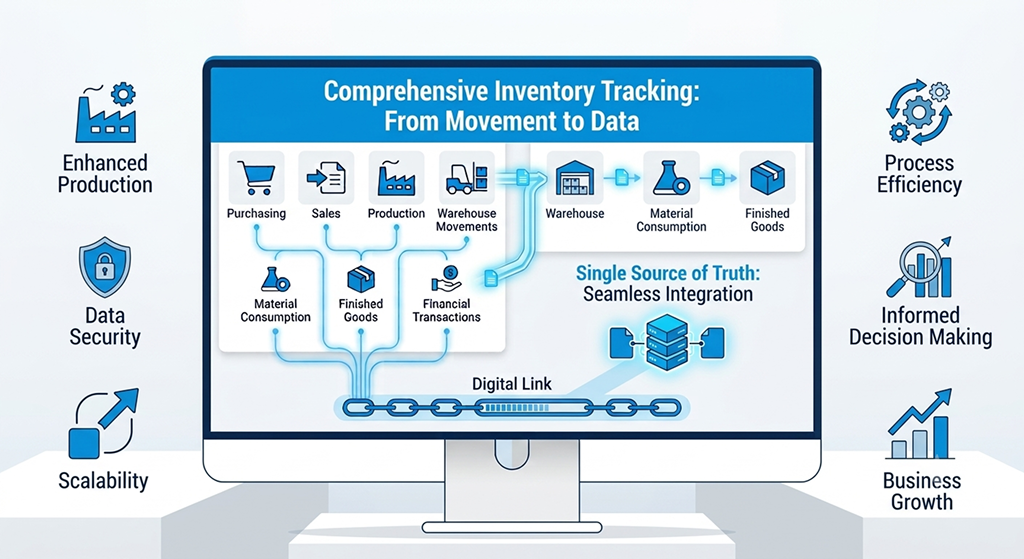
One of the clearest ways How ERP Improves Inventory Management can be seen is through inventory visibility. In a disconnected process, purchasing, sales, warehouse and production teams may each work with different spreadsheets or reports. Employees then spend time checking files and reconciling quantities before they can answer a basic question: “What do we actually have?”
An ERP creates a structured record of inventory transactions. Purchases can increase available stock when received and posted, sales transactions can reduce inventory, transfers can move quantities between locations, and adjustments can be recorded through controlled processes. This provides a more consistent operational picture than manually maintaining multiple files.
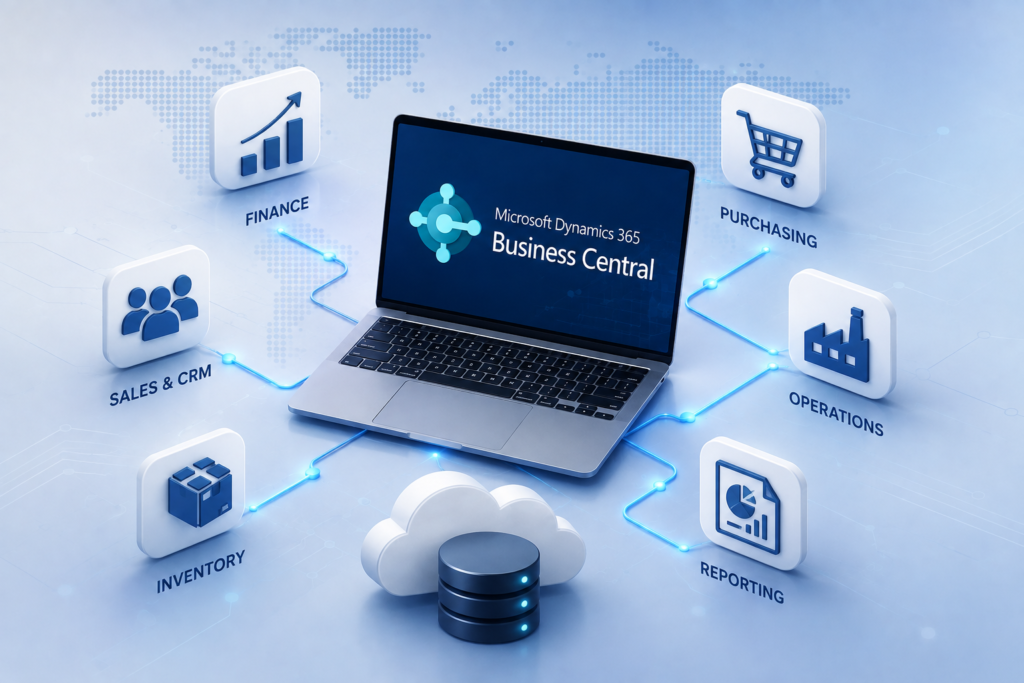
Microsoft Dynamics 365 Business Central, for example, records inventory increases and decreases through posted purchase and sales documents and supports transfers between locations. Its inventory functionality also includes availability views and inventory reporting. Microsoft Learn: Manage inventory.
1 One View of Inventory
Teams can work from connected item and transaction information instead of repeatedly combining separate inventory files.
2 Faster Stock Decisions
Buyers, warehouse teams and managers can make decisions using current operational information rather than waiting for manual spreadsheet consolidation.
3 Better Location Awareness
Inventory can be organized by location, helping businesses understand where stock is held and how quantities move between sites.
2. Better Inventory Accuracy and Traceability
How ERP Improves Inventory Management is also closely connected to inventory accuracy and traceability. Inventory accuracy depends on more than counting products. It also depends on recording transactions consistently. If one employee updates a spreadsheet after receiving goods while another updates a warehouse sheet later, the business can temporarily have several different versions of the same inventory position.
ERP software reduces this fragmentation by using structured item records and transaction histories. Depending on the platform and configuration, businesses can track items by location, variant, serial number, lot number or other attributes. This creates a stronger foundation for reconciliation, stock counts and traceability.
Microsoft Business Central supports item tracking with serial, lot and package numbers, as well as physical inventory counting, adjustments and traceability features. These capabilities can be particularly useful when a business needs to investigate where a specific item or lot has moved through its supply chain. See Microsoft's inventory management guidance.
This does not mean ERP automatically guarantees perfect stock accuracy. Physical counts, correct master data, disciplined transaction posting and appropriate warehouse processes remain essential. ERP provides the structure; the business still needs good operating practices.
3. Smarter Inventory Replenishment
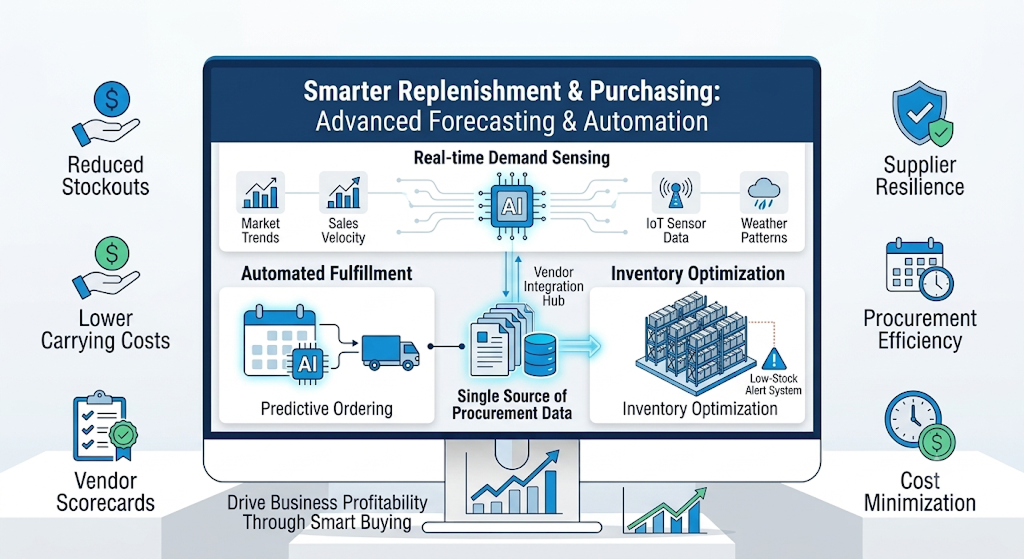
Replenishment is another major area where How ERP Improves Inventory Management becomes practical. The challenge is to maintain enough stock to support demand without continually purchasing or producing more than the business needs.
Spreadsheet-based replenishment often depends on manually reviewing stock levels, open purchase orders, sales requirements and expected demand. That process can work at a small scale, but it becomes harder when there are many items, suppliers, locations and changing demand patterns.
ERP planning tools can bring inventory, supply and demand information together. Depending on the ERP, businesses can configure replenishment policies and planning parameters such as reorder points, maximum quantities, lot-for-lot rules or other planning methods.
Business Central provides replenishment and planning functionality, including planning worksheets and replenishment policies. Microsoft also documents options for creating planning suggestions and purchase orders from planning or requisition processes. Explore Microsoft's Business Central replenishment learning path.
4. Better Warehouse and Stock Movement Control
How ERP Improves Inventory Management becomes especially useful when businesses cannot clearly track where products are stored or how they move through the warehouse. Receiving, put-away, picking, shipping, internal movements and physical counts all affect the inventory position.
ERP-supported warehouse processes can connect these activities with inventory records. Depending on the system, businesses may manage locations, bins, receipts, shipments, picks, transfers and inventory adjustments in a structured workflow.
Microsoft describes Business Central warehouse capabilities such as bins, warehouse shipments, inventory picks and movement worksheets. These capabilities can be configured according to the complexity of the warehouse and the organization's operating model. Microsoft Learn: Warehouse management overview.
The practical benefit is not simply having more warehouse screens. It is connecting physical inventory activity to the same business records used by purchasing, sales and inventory management.
5. Connect Purchasing, Sales and Inventory
Inventory rarely operates as an isolated department. Purchasing brings stock into the business. Sales consumes available inventory. Production may consume raw materials and create finished goods. Warehouse teams receive, move and ship products. Finance needs the resulting transactions for valuation and reporting.
This connected flow is one of the strongest reasons businesses evaluate How ERP Improves Inventory Management. Instead of maintaining a separate spreadsheet for every department, the ERP can use shared item records and transaction data.
Consider a simple purchase-to-stock process. A buyer creates a purchase order, the warehouse receives the goods, the receipt is posted, and inventory availability is updated. The same item information can then be used when the sales team processes an order. The exact workflow depends on the ERP configuration, but the principle is consistent: operational transactions should update the underlying business data.
This also helps management understand the relationship between incoming supply and current stock. Instead of looking only at today's quantity, teams can consider open orders, expected receipts, sales demand and inventory by location.
6. Better Inventory Reporting and Forecasting
How ERP Improves Inventory Management becomes more valuable when the system turns transactions into useful information. Managers may need to understand current stock, inventory movements, availability, shortages, excess quantities, purchasing activity or warehouse performance.
ERP reporting can provide structured views based on the underlying operational records. Instead of manually combining multiple spreadsheets, users can work with reports and dashboards that are connected to inventory data.
Business Central includes inventory and warehouse reporting capabilities, including reports for inventory transactions and item availability. Microsoft also documents analytical tools for inventory data and ad-hoc analysis. View Microsoft inventory and warehouse reporting guidance.
Forecasting should also be treated carefully. ERP data can provide a stronger foundation for demand and supply analysis, but forecasts still depend on the quality of historical data, business assumptions, market conditions and planning methods. ERP improves the information foundation; it does not remove uncertainty from demand.
7. Seven Key Benefits of ERP Inventory Management
The most important advantages of How ERP Improves Inventory Management can be summarized into seven practical business outcomes.
1 Real-Time Inventory Visibility
Connected transactions give authorized users a clearer view of current inventory, incoming supply and stock movements.
2 Improved Inventory Accuracy
Centralized item records and structured transactions can reduce the confusion caused by duplicate or conflicting spreadsheets.
3 Smarter Replenishment
Planning parameters and supply-demand information can help teams determine when and how inventory should be replenished.
4 Better Warehouse Coordination
Receiving, picking, shipping, transfers and internal movements can be connected to inventory records and defined workflows.
5 Lower Manual Work
Repetitive reconciliation and data consolidation can be reduced when departments work from shared operational information.
6 Stronger Reporting
Managers can use structured inventory reports and dashboards to investigate movements, availability and operational trends.
7 Better Business Decisions
When inventory information is connected with purchasing, sales, warehouse and production data, teams can make decisions with more context.
How to Implement ERP for Better Inventory Management
Understanding How ERP Improves Inventory Management is only the first step. The implementation itself determines whether the business actually receives the expected operational benefits.
1. Review the Current Inventory Process
Document how items are created, purchased, received, stored, transferred, sold, consumed, counted and adjusted. Identify where spreadsheets, manual approvals or duplicate data entry are currently used.
2. Clean and Standardize Item Data
Review item names, codes, units of measure, categories, suppliers, locations, reorder settings and other master data before migration. Poor master data can create problems even inside a well-designed ERP.
3. Define Inventory Policies
Decide how different item groups should be replenished, counted, stored and monitored. Not every product needs the same stocking strategy.
4. Connect Inventory With Related Processes
Inventory should not be implemented in isolation. Connect purchasing, sales, warehouse, production and finance processes where appropriate so that inventory transactions reflect actual business activity.
5. Test Real Business Scenarios
Test common workflows such as purchase receipt, sales shipment, stock transfer, inventory adjustment, physical counting, returns and replenishment. Confirm that each transaction produces the expected inventory result.
6. Train Users and Monitor Data Quality
Users need to understand not only which screen to use, but why accurate transaction entry matters. After go-live, monitor inventory discrepancies, master data quality and process exceptions.
ERP Inventory Readiness Checklist
Choosing an ERP for Inventory Management
The right ERP should be selected according to the complexity of the business rather than the number of features on a product brochure. Consider the number of SKUs, warehouse locations, transaction volume, purchasing model, sales channels, manufacturing requirements, traceability needs, reporting requirements and future growth.
If your organization is reviewing ERP modernization, you can explore Innoverse 360's ERP and digital transformation solutions for a broader view of how connected business systems can support growing operations.
A strong ERP implementation should also leave room for Excel and other analytical tools where they provide value. The objective is to establish the ERP as the trusted operational source while allowing users to perform flexible analysis when needed.
Conclusion: How ERP Improves Inventory Management
How ERP Improves Inventory Management is ultimately about creating a connected flow of reliable inventory information. Instead of treating stock as a collection of spreadsheet numbers, ERP connects inventory transactions with the business processes that create and consume those quantities.
The benefits described in How ERP Improves Inventory Management can include better visibility, stronger inventory accuracy, more structured replenishment, improved warehouse coordination, connected purchasing and sales, better reporting and more informed decisions.
A key lesson in How ERP Improves Inventory Management is that ERP is not a substitute for sound inventory policies or disciplined operations. Accurate master data, correct transaction posting, physical counts, warehouse processes and user training remain essential. But when these practices are supported by an integrated system, inventory management becomes easier to control and scale.
For a growing business, the right question in How ERP Improves Inventory Management is not simply whether ERP is more powerful than a spreadsheet. The better question is whether the current inventory process gives every team the information and control they need to operate efficiently.
If your business is evaluating inventory modernization, ERP implementation or broader digital transformation, Innoverse 360 can help assess current processes and identify an ERP approach aligned with your operational requirements.