ERP vs Excel for Manufacturing: Which Is Better for Growing Manufacturers?
Compare ERP vs Excel for Manufacturing across production planning, inventory management, costing, purchasing, reporting, automation, integrations, scalability and operational visibility.
What's Inside
- 01 ERP vs Excel for Manufacturing
- 02 Why Manufacturers Use Excel
- 03 What an ERP System Provides
- 04 ERP vs Excel Comparison
- 05 Production Planning and Scheduling
- 06 Inventory and Material Management
- 07 Manufacturing Costing and Reporting
- 08 When Should Manufacturers Move to ERP?
- 09 How to Move from Excel to ERP
- 10 Conclusion
- 11 Frequently Asked Questions
ERP vs Excel for Manufacturing: Why the Comparison Matters
When a manufacturing business is small, Excel can be an extremely useful business tool. Production teams can create planning sheets, finance teams can build calculations, purchasing teams can track requirements, and managers can create reports without implementing a large software system.
However, as manufacturing operations grow, spreadsheet-based processes can become increasingly difficult to coordinate. Production, inventory, purchasing, warehouse, sales and finance teams may each maintain their own files, versions and formulas.
This makes ERP vs Excel for Manufacturing an important question for manufacturers that are experiencing growth, increasing product complexity or expanding operational requirements.
The answer in the ERP vs Excel for Manufacturing discussion is not simply that ERP is always better than Excel. Excel remains valuable for analysis, calculations, ad-hoc reporting and data exploration. The bigger question is whether Excel should remain the primary operational system for manufacturing processes.
In this guide, we compare ERP vs Excel for Manufacturing across production planning, inventory, purchasing, costing, reporting, data consistency, automation, integration and scalability.
Why Do Manufacturers Use Excel?
Excel is popular because it is flexible, familiar and relatively easy to start using. A manufacturing company can create a spreadsheet for production schedules today without waiting for a software implementation project.
Common manufacturing uses for Excel include:
- Production planning sheets
- Inventory tracking
- Material requirement calculations
- Cost calculations
- Purchase planning
- Sales forecasting
- Management reports
- Production performance analysis
The flexibility of Excel is particularly useful when a business needs to perform quick calculations or explore data.
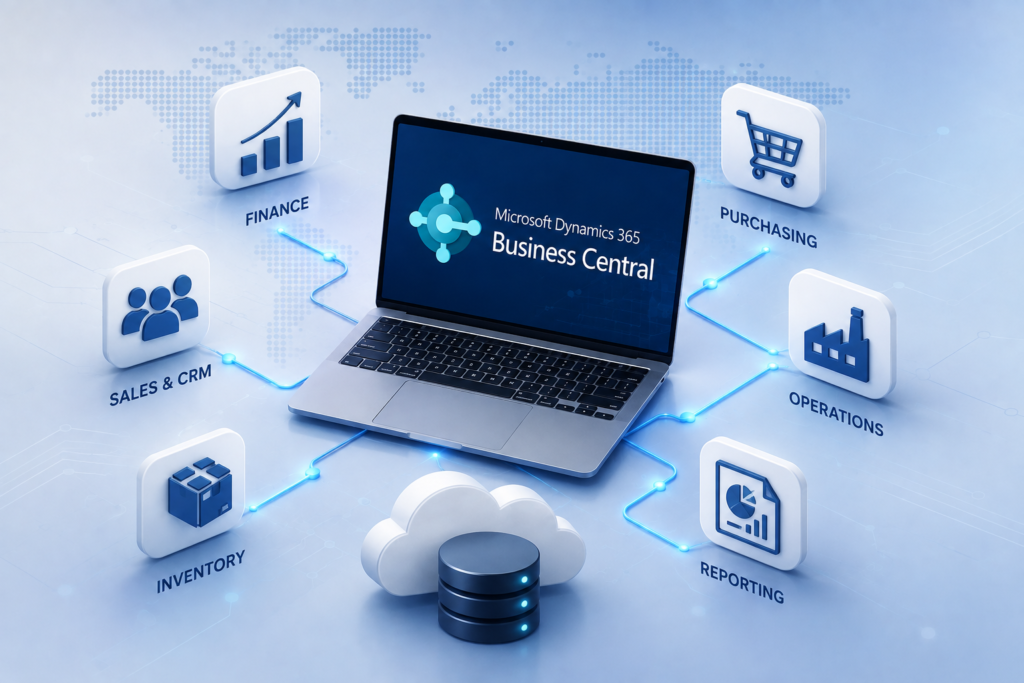
Microsoft also provides ways to work with Excel alongside Business Central. For example, Business Central supports opening and editing certain business data in Excel, showing that Excel and ERP do not necessarily need to be competing tools. :contentReference[oaicite:1]{index=1}
The challenge begins when multiple spreadsheets become the central system used to coordinate manufacturing operations.
If your business is already evaluating ERP modernization, you can explore the Innoverse 360 ERP solutions for manufacturing, distribution and other complex business operations.
What Does an ERP System Provide for Manufacturing?
An ERP system is designed to connect business processes and business data within a structured environment.
For manufacturing organizations, an ERP platform can connect areas such as production, inventory, purchasing, sales, warehouse operations, finance and reporting.
For example, Microsoft Dynamics 365 Business Central provides manufacturing capabilities involving production BOMs, routings, work centers, machine centers, capacity and production orders. These capabilities are designed to connect production with other business processes. :contentReference[oaicite:2]{index=2}
This creates an important distinction in the ERP vs Excel for Manufacturing comparison.
Excel primarily provides a flexible workspace for working with data.
ERP provides a structured environment for managing the transactions and processes that generate that data.
1 One Connected Business Environment
Production, purchasing, inventory and financial processes can work from connected business records instead of completely separate spreadsheets.
2 Better Operational Visibility
Managers can access information from connected business processes rather than waiting for different departments to consolidate spreadsheet files.
3 Structured Workflows
Approvals, transactions, production orders, inventory movements and purchasing processes can follow defined workflows.
ERP vs Excel for Manufacturing: Side-by-Side Comparison
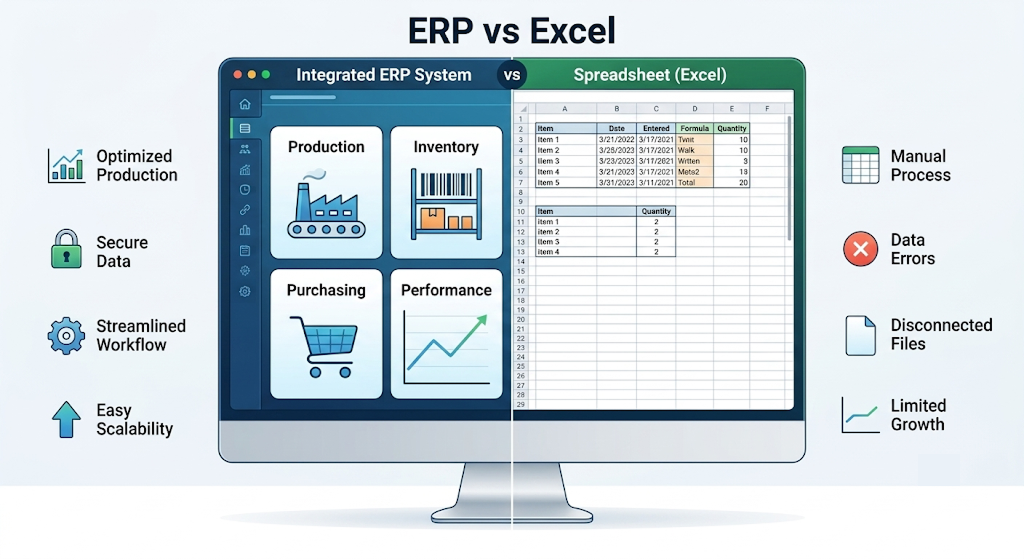
The best way to understand ERP vs Excel for Manufacturing is to compare how both approaches handle common manufacturing requirements.
| Manufacturing Requirement | Excel | ERP |
|---|---|---|
| Production Planning | Can be created with formulas, schedules and manually maintained workbooks. | Can connect production planning with demand, inventory, materials, capacity and production processes. |
| Inventory Management | Requires users to update and maintain inventory sheets. | Inventory transactions can be connected with purchasing, sales, production and warehouse operations. |
| Bill of Materials | Can be maintained in worksheets but requires careful version control. | BOM structures can be maintained as part of the ERP's manufacturing data model. |
| Production Orders | Often tracked through manually maintained sheets. | Production orders can be managed as structured transactions. |
| Data Consistency | Multiple files can create duplicate or conflicting versions. | A centralized system can reduce fragmented operational data. |
| Reporting | Highly flexible for custom analysis and charts. | Can provide structured reports and dashboards based on operational data. |
| Automation | Possible with formulas, macros and integrations, but requires additional design and maintenance. | Business workflows can be built into the ERP environment. |
| Scalability | Can become difficult to maintain as users, transactions and workbooks increase. | Designed to support larger connected business processes. |
| Flexibility | Very high for ad-hoc calculations and analysis. | Structured around defined business processes and data. |
This comparison does not mean that Excel becomes unnecessary after implementing ERP. In many organizations, Excel remains useful as an analysis and reporting companion.
Microsoft's Business Central documentation, for example, describes Excel as a useful way to analyze manufacturing data, including ad-hoc analysis and exported information. :contentReference[oaicite:3]{index=3}
For production teams, ERP vs Excel for Manufacturing often comes down to whether schedules, materials and capacity can be coordinated from one reliable system.
Production Planning: ERP vs Excel
Production planning is one of the areas where the difference between spreadsheet-based operations and ERP becomes more visible.
Production Planning With Excel
A manufacturer may maintain a spreadsheet containing product names, production quantities, expected completion dates, raw materials, machine availability and employee assignments.
This can work for relatively simple operations.
But when demand changes, a machine becomes unavailable or material availability changes, multiple spreadsheet formulas and worksheets may need to be updated.
Production Planning With ERP
An ERP can connect production requirements with other business data and processes.
For example, production planning can take into account production BOMs, routings, work centers, machine capacity, material availability and production orders.
Microsoft's Business Central manufacturing documentation describes production resources such as bills of material, routings, machine operators and machinery as part of the manufacturing setup. :contentReference[oaicite:4]{index=4}
Demand
Customer demand or planned requirements create the need for production.
Materials
Required materials and components can be considered as part of production planning.
Capacity
Available work centers, machines and production resources can be considered when planning operations.
Production
Production orders can coordinate materials, operations and finished output.
The ERP vs Excel for Manufacturing comparison is especially important when inventory records must stay aligned with production and purchasing.
Inventory Management: ERP vs Excel
Inventory accuracy is critical for manufacturers because production depends on the availability of the right materials at the right time.
With Excel, inventory may be maintained using manually updated stock sheets.
If a warehouse employee receives material but forgets to update the spreadsheet, the production planner may work with outdated information.
The same problem can occur when materials are issued to production, returned, transferred between locations or consumed during production.
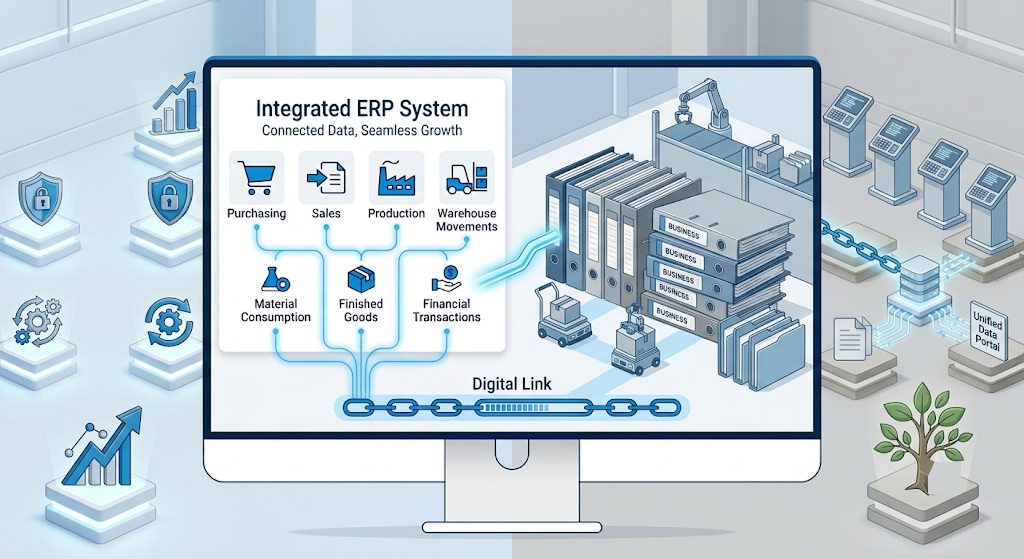
An ERP can connect inventory transactions with other business activities.
- Purchasing
- Sales
- Production
- Warehouse movements
- Material consumption
- Finished goods
- Financial transactions
This connected approach can help manufacturers improve inventory visibility and reduce dependence on manually reconciled spreadsheets.
For manufacturers looking to improve inventory, production, warehouse and supply-chain visibility, explore Innoverse 360's ERP and digital transformation solutions .
Another important part of ERP vs Excel for Manufacturing is how consistently operational data flows into costing and management reporting.
Manufacturing Costing and Reporting
In the ERP vs Excel for Manufacturing comparison, manufacturing businesses need accurate information about material costs, labor, machine usage, production quantities, scrap, overheads and finished product costs.
Excel-Based Costing
Excel is excellent for building custom costing models. Finance teams can create formulas, scenarios, charts and what-if analyses quickly.
The challenge is maintaining reliable inputs. If production, purchasing and finance teams maintain separate files, the costing model may depend on data that is manually copied from one spreadsheet to another.
ERP-Based Costing
ERP systems can connect manufacturing transactions with inventory and financial information.
This creates an opportunity for manufacturers to understand costs using more structured operational data.
Manufacturing analytics can also include areas such as utilization, capacity, work center load, production time and production scrap. Microsoft documents manufacturing analytics capabilities in Business Central for these types of operational data. :contentReference[oaicite:5]{index=5}
7 Signs Excel Is Becoming a Manufacturing Bottleneck
1 Multiple Spreadsheet Versions
Different departments maintain different versions of the same operational data.
2 Frequent Data Reconciliation
Employees spend significant time comparing spreadsheets and resolving differences.
3 Inventory Accuracy Problems
Spreadsheet inventory does not consistently match actual warehouse or production quantities.
4 Production Visibility Is Delayed
Managers need to wait for production teams to update and distribute reports.
5 Manual Reporting Takes Too Long
Employees spend hours consolidating information before management reports can be prepared.
6 Spreadsheet Errors Affect Decisions
Broken formulas, incorrect references or outdated data can affect operational decisions.
7 Business Growth Creates Complexity
More products, users, warehouses, machines, suppliers and transactions make spreadsheet coordination increasingly difficult.
When Should a Manufacturer Move From Excel to ERP?
There is no universal company size or revenue number that automatically means a manufacturer should implement ERP.
The better question is whether the current operational system can support the business without creating excessive manual work or business risk.
Consider ERP When Your Manufacturing Business Needs To:
- Connect production, inventory, purchasing and finance
- Improve real-time operational visibility
- Manage multiple warehouses or locations
- Track complex production processes
- Improve material planning
- Reduce duplicate data entry
- Improve production and inventory reporting
- Integrate business applications
- Support future business growth
If the business is still small and its processes are simple, Excel may remain an appropriate tool.
The goal is not to implement ERP simply because it is more advanced. The goal is to implement ERP when the business needs a more connected operational system.
How to Move From Excel to ERP
Moving from spreadsheets to ERP should be treated as a business transformation project rather than simply a software installation.
Audit Existing Spreadsheets
Identify the spreadsheets used for production, inventory, purchasing, costing, reporting and other critical processes.
Map Business Processes
Document how information moves between production, warehouse, purchasing, sales and finance.
Define ERP Requirements
Determine which processes should be standardized, automated or integrated within the ERP.
Clean and Prepare Data
Review customers, suppliers, products, inventory, BOMs, opening balances and other data before migration.
Configure and Implement
Configure the ERP according to the approved processes, integrations and business requirements.
Test With Real Business Scenarios
Test purchasing, production, inventory, sales, finance and reporting workflows using realistic scenarios.
Train Users and Go Live
Train employees based on their responsibilities and introduce the ERP through a structured go-live process.
Manufacturers evaluating Microsoft-based ERP can also review Microsoft's official Business Central manufacturing learning path to understand the platform's manufacturing capabilities.
Do You Have to Stop Using Excel After Implementing ERP?
No.
One of the most important points in the ERP vs Excel for Manufacturing discussion is that businesses do not necessarily need to choose one tool and completely remove the other.
In the ERP vs Excel for Manufacturing discussion, Excel can remain useful for:
- Ad-hoc analysis
- Custom calculations
- Scenario analysis
- Data exploration
- Custom management analysis
- Temporary planning exercises
The important distinction is that the ERP should ideally remain the trusted operational source for core business transactions, while Excel can be used as a flexible analysis layer.
Microsoft documents several ways that Business Central can work with Excel, including opening data in Excel and editing certain data through Excel. :contentReference[oaicite:6]{index=6}
ERP Readiness Checklist for Manufacturers
Choosing the Right ERP Approach for Manufacturing
Every manufacturing business has different requirements, which is why the ERP vs Excel for Manufacturing choice should be based on operational complexity rather than software preference. A discrete manufacturer, process manufacturer, engineering company, electronics manufacturer and distribution business may need different workflows, integrations and reporting.
The right ERP decision in an ERP vs Excel for Manufacturing evaluation should therefore consider:
- Manufacturing processes
- Number of users
- Number of locations
- Inventory complexity
- Production planning requirements
- Financial requirements
- Integration requirements
- Reporting requirements
- Future growth plans
Innoverse 360 works with manufacturing and other complex business environments across ERP, supply chain, production, warehouse management, finance and digital transformation.
You can explore Innoverse 360's ERP and digital transformation solutions to understand the broader ERP capabilities available for growing businesses.
Conclusion: ERP vs Excel for Manufacturing
The ERP vs Excel for Manufacturing decision is not really about choosing the more powerful software. It is about choosing the right operating model for the business.
Excel remains an excellent tool for calculations, analysis, custom reporting and flexible data exploration.
However, manufacturers with increasingly complex production, inventory, purchasing, warehouse and financial processes may need a system that connects those activities rather than managing them through separate spreadsheets.
An ERP can provide a structured environment for managing production orders, materials, inventory, purchasing, capacity, costing and business reporting.
The strongest approach in ERP vs Excel for Manufacturing may not be ERP versus Excel. It may be ERP plus Excel. Use ERP to manage the core operational processes and trusted business data. Use Excel where its flexibility provides additional value for analysis and decision-making.
For manufacturers reviewing ERP vs Excel for Manufacturing, the right time to consider ERP is when spreadsheet-based operations begin creating more complexity than value.
If your manufacturing business is evaluating ERP, production management, inventory modernization or digital transformation, Innoverse 360 can help assess the current operating model and identify an appropriate technology approach.