AI in Manufacturing ERP
Discover how AI in manufacturing ERP can support demand forecasting, production planning, inventory decisions, quality analysis, maintenance insights, automation and faster operational decision-making.
What's Inside
- 01 What Is AI in Manufacturing ERP?
- 02 Why AI Matters in Manufacturing ERP
- 03 AI for Demand Forecasting
- 04 AI for Production Planning
- 05 AI for Inventory and Supply Chain
- 06 AI for Quality and Maintenance
- 07 AI-Powered ERP Automation
- 08 8 Benefits of AI in Manufacturing ERP
- 09 Microsoft Dynamics 365 and AI
- 10 How to Implement AI in Manufacturing ERP
- 11 Common AI ERP Mistakes
- 12 Conclusion
- 13 Frequently Asked Questions
Manufacturing companies already generate large volumes of operational data. Sales orders, purchase orders, inventory transactions, production orders, bills of material, routings, quality records and financial transactions can all become inputs for better planning. The challenge is turning that data into useful decisions without creating another disconnected system.
This is where AI in manufacturing ERP is becoming strategically important. Instead of treating artificial intelligence as a standalone experiment, manufacturers can connect AI capabilities to the business processes already managed by an ERP. The result can be better forecasting, faster analysis, more consistent workflows and earlier visibility into operational exceptions.
The strongest approach is practical: identify a business problem, confirm that the underlying data is reliable, select an appropriate AI capability, define human oversight and measure the operational outcome. AI should strengthen the ERP operating model rather than bypass it.
What Is AI in Manufacturing ERP?
AI in manufacturing ERP means using artificial intelligence and machine-learning or generative-AI capabilities within, alongside or integrated with an enterprise resource planning system to analyze business information, produce insights, assist users or automate selected tasks.
Traditional ERP systems are excellent at recording transactions and enforcing structured processes. AI adds another layer: it can identify patterns across historical data, summarize information, explain anomalies, generate recommendations or help users interact with business data using natural language. The exact capability depends on the ERP product, release, data model, integrations and licensing.
Why AI Matters in Manufacturing ERP
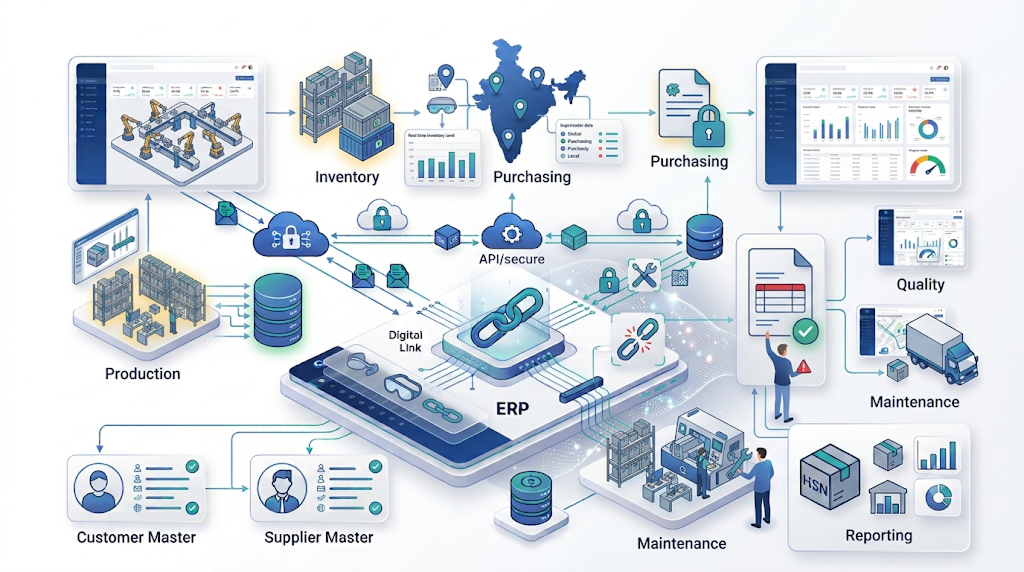
Manufacturing decisions are interconnected. A demand change can affect production requirements, purchasing, inventory, warehouse activity, capacity and cash flow. When teams rely on isolated spreadsheets and manually prepared reports, it can take longer to understand the downstream impact of a change.
An ERP provides the transaction foundation. AI can then help users interpret that foundation. For example, an AI-assisted workflow might identify unusual demand patterns, summarize open orders, highlight items at risk of shortage or help a planner investigate why actual consumption differs from expectations.
Microsoft's current Business Central documentation describes Copilot and agent capabilities across areas including finance, inventory and supply chain management, while Microsoft is also adding generative-AI capabilities to Dynamics 365 Supply Chain Management. Availability varies by feature, environment, region and release, so manufacturers should verify the exact capability before designing a production process around it. Microsoft's Business Central AI documentation is a useful starting point.
AI for Demand Forecasting and Sales Planning
Forecasting is one of the most practical areas for AI in manufacturing ERP. Manufacturing demand can be influenced by seasonality, customer behavior, promotions, product lifecycle changes, regional demand and order patterns. AI can analyze historical and current data to identify patterns that may be difficult to spot manually.
A useful forecasting workflow does not simply replace a planner's forecast with an algorithm. Instead, it can provide a baseline forecast, identify unusual movements and give planners a starting point for review. Business knowledge can then be applied before the forecast becomes a purchasing or production decision.
- Analyze historical sales and order patterns.
- Identify recurring seasonal or demand signals.
- Highlight products with unusual changes.
- Support forecast review with explainable business context.
- Feed approved demand assumptions into planning workflows.
For larger supply-chain environments, Microsoft documents generative insights and AI-based forecast explanations in its 2026 Dynamics 365 Supply Chain Management roadmap. These are release-specific capabilities, so implementation teams should distinguish generally available features from preview or planned functionality. Review Microsoft's current Supply Chain AI roadmap.
AI for Production Planning and Scheduling
Production planning requires balancing demand, materials, capacity, lead times, work centers and delivery commitments. AI can assist by finding patterns in historical production performance and by helping planners investigate constraints or deviations.
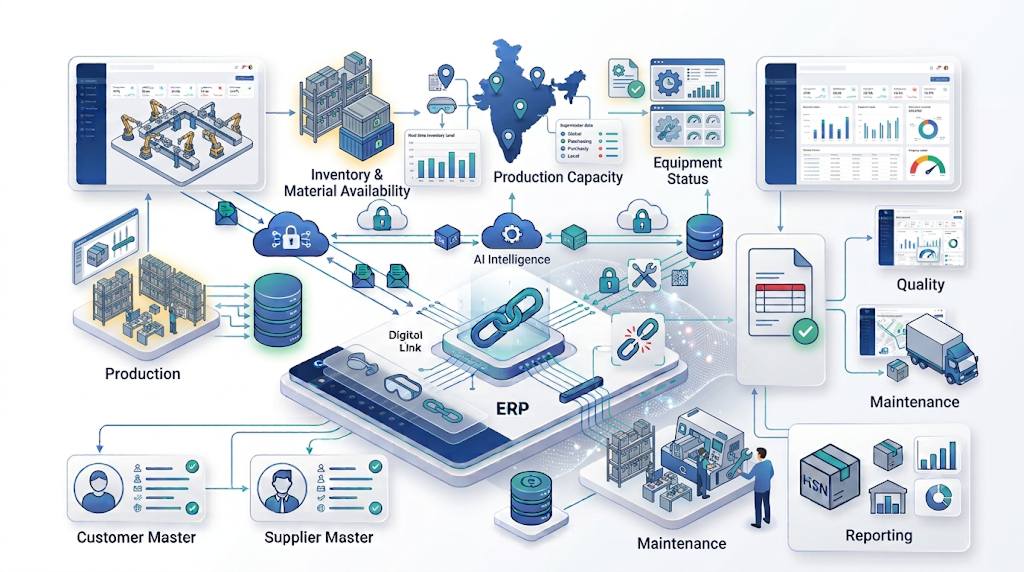
For example, if a production line repeatedly experiences delays when certain materials arrive late, the ERP data can help reveal the relationship between purchasing, inventory and production performance. AI-assisted analysis can surface the pattern faster, while the planner decides whether to change safety stock, supplier strategy, lead-time assumptions or scheduling rules.
AI is especially useful when the underlying ERP structure already captures bills of material, routings, work centers, production orders and inventory movements. The intelligence layer has more context because it is connected to the transactions that describe the operation, which is a key reason AI in manufacturing ERP can be more useful than an isolated analytics tool.
Manufacturers should still keep planning constraints explicit. Capacity limits, approved suppliers, minimum order quantities, quality requirements and customer commitments should not be overridden simply because an AI recommendation looks attractive.
AI for Inventory Optimization and Supply Chain Decisions
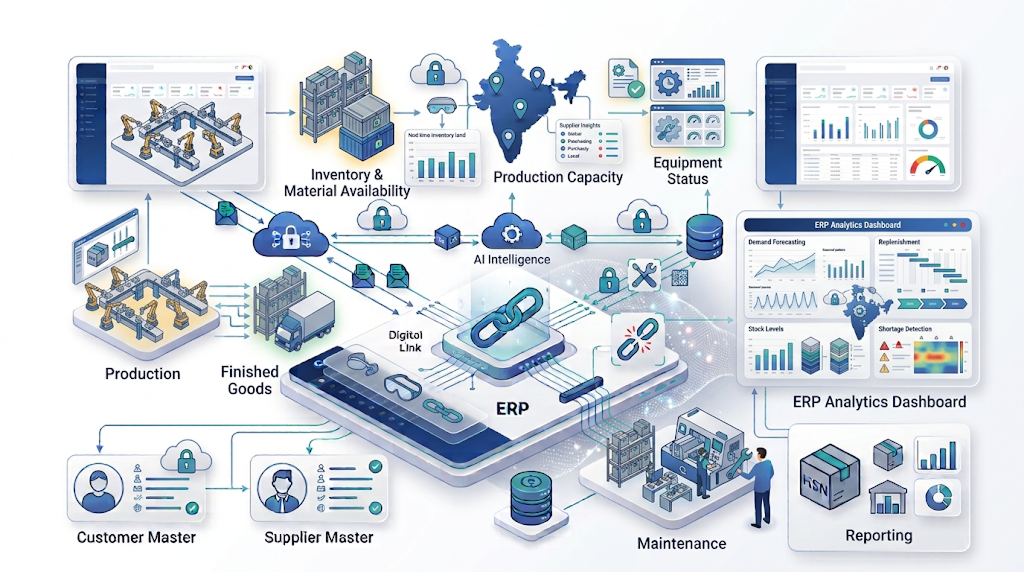
Inventory is another strong use case for AI in manufacturing ERP. Excess inventory ties up working capital, while shortages can interrupt production or delay customer orders. AI in manufacturing ERP can help planners examine demand, inventory movements, lead times and purchasing history to identify where attention is needed.
- Highlight items with unusual demand or consumption patterns.
- Support replenishment and safety-stock analysis.
- Identify slow-moving or potentially excess inventory.
- Compare supplier performance and lead-time patterns.
- Help planners prioritize shortage and availability exceptions.
The quality of these outputs depends heavily on master data. Item units of measure, lead times, supplier records, locations, inventory transactions and planning parameters need to be maintained accurately. A sophisticated model cannot reliably compensate for inconsistent source data.
For related inventory fundamentals, see our guide on how ERP improves inventory management. Manufacturers comparing spreadsheet-based processes can also read ERP vs Excel for manufacturing.
AI for Quality, Anomaly Detection and Maintenance
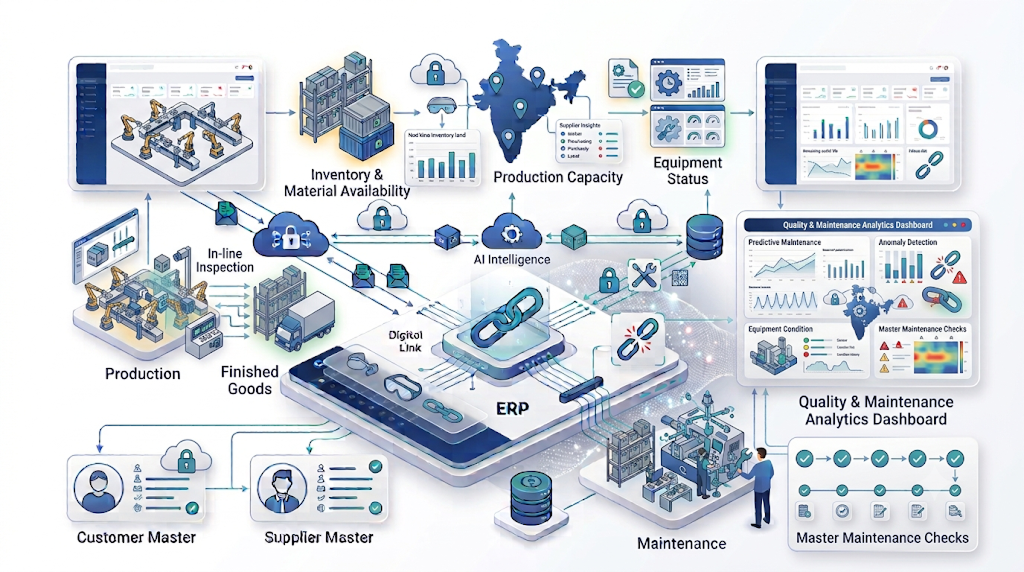
Quality and maintenance generate valuable operational signals. Quality records can reveal recurring defects, supplier issues or process patterns. Maintenance data can reveal repeated equipment problems, downtime trends and asset behavior. When these signals are connected to ERP and manufacturing systems, AI can help teams prioritize investigation.
In quality management, AI-assisted analysis can help identify clusters in defect descriptions, compare failure patterns and surface recurring issues for review. The final quality decision should remain governed by approved procedures, specifications and responsible personnel.
For maintenance, AI can analyze historical work orders and, where integrated sensor or machine data exists, additional equipment signals. The goal is to move from purely reactive maintenance toward more informed maintenance planning. This is not the same as claiming that every ERP can predict machine failure automatically; the available capability depends on the connected data and technology stack.
AI-Powered ERP Automation
Generative AI and AI agents are expanding the role of ERP from transaction recording toward assisted and, in selected workflows, autonomous task execution. Microsoft describes Copilot as an AI-powered assistant and describes agents as workers that can handle specific tasks with minimal human input while keeping work transparent and reviewable.
In manufacturing organizations, practical automation opportunities can include summarizing operational records, assisting users with data analysis, processing structured business information, preparing routine communications and supporting exception-driven workflows. The right automation boundary should be based on risk.
Low-risk, repetitive tasks can often be automated more readily. Financial postings, production changes, supplier commitments or quality decisions may require stronger approval controls. The principle is simple: automate the workflow where confidence and governance are sufficient, and keep people in the loop where the business impact is high.
Microsoft's Business Central AI administration documentation also highlights administrator controls, user access and data governance for Copilot and agent capabilities.
8 Benefits of AI in Manufacturing ERP
Faster Data Analysis
AI can help users interpret large ERP datasets without manually preparing every report or view.
Better Forecast Support
Historical and current business signals can be analyzed to support more informed demand planning.
Earlier Exception Detection
Unusual demand, inventory, production or quality patterns can be surfaced for human investigation.
Improved Inventory Decisions
AI-assisted analysis can help planners prioritize replenishment, shortages and excess-stock questions.
More Productive Teams
Assistants and automation can reduce repetitive searching, summarizing and administrative work.
Connected Operational Context
AI is more useful when it can work with the finance, sales, inventory and production context already held in the ERP.
Scalable Decision Support
Standardized AI-assisted analysis can give multiple teams a consistent starting point for operational reviews.
More Proactive Operations
Organizations can move from reacting to reports toward investigating signals and exceptions earlier.
AI in Microsoft Dynamics 365 Business Central and Manufacturing
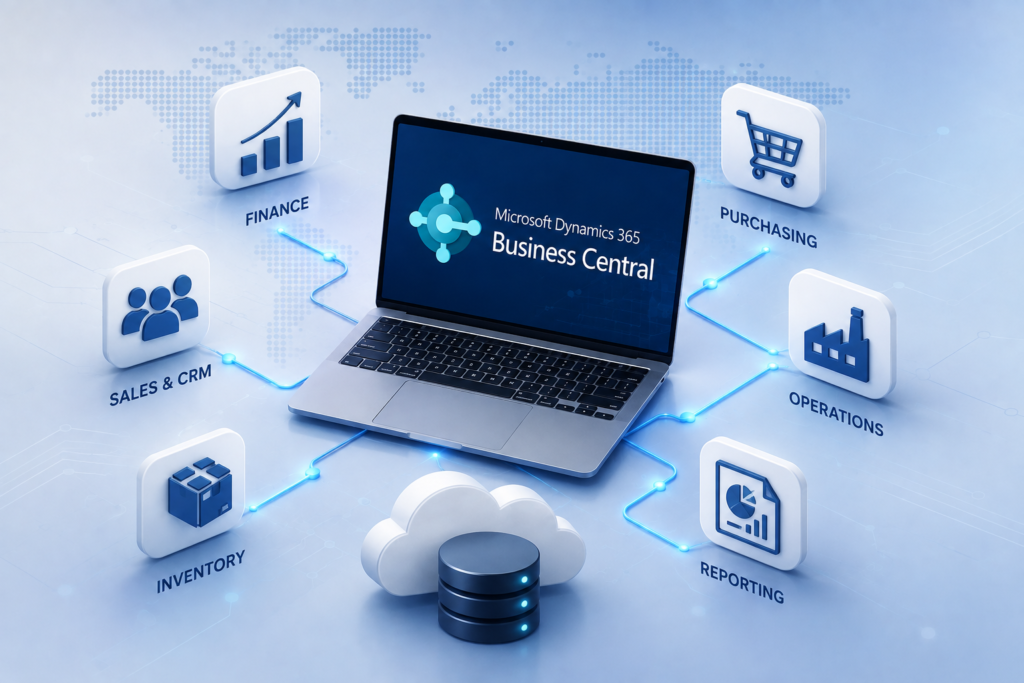
For small and midsize manufacturers, Microsoft Dynamics 365 Business Central is particularly relevant because Microsoft positions it as an AI-powered ERP with capabilities spanning finance, sales, service, supply chain and manufacturing. Its current AI documentation covers Copilot capabilities for areas including finance, inventory and supply chain management.
Microsoft's product documentation also describes Business Central as a platform where AI and automation are embedded into everyday processes. The exact AI features available to a customer depend on the product version, country or region, licensing, configuration and release status. Manufacturers should therefore evaluate the specific feature set rather than treating “AI-powered ERP” as a single capability.
You can review the Microsoft Dynamics 365 Business Central product page, explore the Microsoft AI learning path for Business Central, and use Microsoft's documentation when validating specific features for a project.
For manufacturers with more complex supply-chain requirements, AI in manufacturing ERP can be evaluated alongside Microsoft Dynamics 365 Supply Chain Management, which provides broader planning, inventory, warehousing, transportation and manufacturing capabilities, with current AI-related enhancements documented in Microsoft's 2026 roadmap. Explore Dynamics 365 Supply Chain Management documentation.
How to Implement AI in Manufacturing ERP
A successful AI ERP program starts with business value, not with a model. Before selecting a tool, document the current process, the decision that needs improvement, the data available and the operational measure that will indicate success.
Choose One High-Value Use Case
Start with a focused problem such as demand forecasting, inventory exceptions, production analysis or document automation.
Audit Data Quality
Check master data, historical transactions, missing values, duplicates, units, timestamps and process consistency before model evaluation.
Define the Human Decision
Document what AI recommends, who reviews it, what evidence they need and when a recommendation must be rejected or escalated.
Integrate With the ERP Workflow
Where possible, place AI insights beside the transaction or planning process instead of forcing users to switch between disconnected tools.
Set Security and Governance Controls
Define access, data handling, auditability, model usage rules, approval requirements and administrator responsibilities.
Pilot and Measure
Compare the AI-assisted process with the current process using operational measures such as forecast quality, exception resolution time or planner effort.
Scale Carefully
Only expand after the use case is reliable, users understand it and the organization can support the workflow operationally.
Implementation also needs to consider the ERP foundation itself. If the organization is already planning an ERP modernization, AI should be included in the future-state architecture rather than bolted onto inconsistent processes. Our guide to ERP implementation cost in India can help teams think about implementation scope, migration, integrations, training and total cost of ownership.
Common AI ERP Mistakes to Avoid
- Starting with technology instead of a problem: a compelling AI demo does not automatically create business value.
- Ignoring data quality: inconsistent master data and incomplete transaction history can undermine AI outputs.
- Automating high-risk decisions too early: financial, production and quality workflows may require approval and audit controls.
- Using AI as a separate reporting island: users gain more value when insights connect to the ERP workflow where action occurs.
- Ignoring feature availability: AI capabilities can vary by product, release, region, licensing and preview status.
- Skipping user adoption: planners and finance teams need to understand how recommendations are produced and how exceptions should be handled.
- Measuring activity instead of outcomes: counting AI interactions is less useful than measuring business and operational improvement.
Use Responsible AI as an Operating Principle
Manufacturers should treat AI in manufacturing ERP governance as part of their broader ERP governance model. Access controls, data protection, transparency, human review, change management and auditability should be considered before a model or agent is connected to important business processes. Microsoft's current Business Central AI guidance emphasizes transparency, administrator controls and data governance around Copilot and agent capabilities.
Conclusion
AI in manufacturing ERP is most valuable when it turns trusted operational data into practical decisions and controlled automation. Demand forecasting, production planning, inventory optimization, quality analysis, maintenance insights and workflow assistance are all potential use cases, but the right priority depends on the manufacturer's processes, data maturity and operational goals.
The best implementation path is focused: choose a measurable problem, improve the data foundation, integrate AI with the ERP workflow, keep appropriate human oversight and scale only after the pilot proves useful. For businesses evaluating ERP modernization, this approach creates a more realistic path toward AI-enabled manufacturing rather than an isolated technology experiment.
For related ERP guidance, explore the Innoverse 360 ERP blog, review Innoverse 360 case studies, or visit the Innoverse 360 ERP solutions page.